Monitor EMQX with Prometheus and Grafana
Objective
Configure Prometheus to scrape an EMQX cluster and visualize its metrics in Grafana.
Deploy Prometheus and Grafana
- To learn more about Prometheus deployment, refer to the Prometheus documentation.
- To learn more about Grafana deployment, refer to Grafana documentation.
Deploy EMQX Cluster
EMQX exposes various metrics through the Prometheus-compatible HTTP API.
apiVersion: apps.emqx.io/v3beta1
kind: EMQX
metadata:
  name: emqx
spec:
  image: emqx/emqx:6.3.2
  config:
    roots:
      license:
        key: "..."
Save the above content as emqx.yaml and execute the following command to deploy the EMQX cluster:
$ kubectl apply -f emqx.yaml
emqx.apps.emqx.io/emqx created
Check the status of the EMQX cluster and make sure that STATUS is Ready. This may take some time.
$ kubectl get emqx emqx
NAME   STATUS   AGE
emqx   Ready    10m
Create API Keys
Sign in to the Dashboard and create dedicated API key. For Prometheus, create an API key with the Viewer role and only the monitoring scope. The PodMonitor uses this key to scrape /api/v5/prometheus/stats.
Save the API key and secret key. EMQX displays each secret key only once.
Configure Prometheus Monitor
Prometheus Operator uses the PodMonitor CRD to select Pods and define scrape endpoints. EMQX exposes Prometheus metrics through its Dashboard listener, whose container port is named dashboard by default.
The following PodMonitor scrapes the basic EMQX metrics endpoint from every Pod in the emqx cluster:
Starting from EMQX 6.3.0, Prometheus scrape APIs require authentication by default. Create a Kubernetes Secret in the same namespace as the PodMonitor to store the API key and secret key created for Prometheus:
kubectl create secret generic emqx-prometheus-basic-auth \
  --from-literal=username='<API_KEY>' \
--from-literal=password='<SECRET_KEY>'apiVersion: monitoring.coreos.com/v1
kind: PodMonitor
metadata:
name: emqx
labels:
app.kubernetes.io/name: emqx
spec:
podMetricsEndpoints:
- interval: 5s
path: /api/v5/prometheus/stats
basicAuth:
username:
name: emqx-prometheus-basic-auth
key: username
password:
name: emqx-prometheus-basic-auth
key: password
# Name of the EMQX Dashboard container port.
port: dashboard
relabelings:
- action: replace
# Use a unique value for each EMQX cluster.
replacement: emqx5
targetLabel: cluster
- action: replace
# Keep this value unchanged.
replacement: emqx
targetLabel: from
- action: replace
# Use the Pod name as the Prometheus instance label.
sourceLabels: [pod]
targetLabel: instance
selector:
matchLabels:
# Match Pods managed for the EMQX resource named `emqx`.
apps.emqx.io/instance: emqx
apps.emqx.io/managed-by: emqx-operator
namespaceSelector:
matchNames:
# Change this value if the EMQX cluster is in another namespace.
- defaultpath specifies the metrics collection API path. For EMQX 5.0 and later, use /api/v5/prometheus/stats. The basicAuth section reads the API key and secret key from the Kubernetes Secret. The selector matches Pods managed for the emqx resource. The cluster target label must be unique for each EMQX cluster monitored by the same Prometheus server.
If you explicitly disable authentication by setting prometheus.enable_basic_auth = false, you can omit basicAuth from podMetricsEndpoints. For all available endpoints and authentication options, see Integrate with Prometheus.
Save the above content as monitor.yaml and execute the following command:
$ kubectl apply -f monitor.yamlView EMQX Metrics in Prometheus
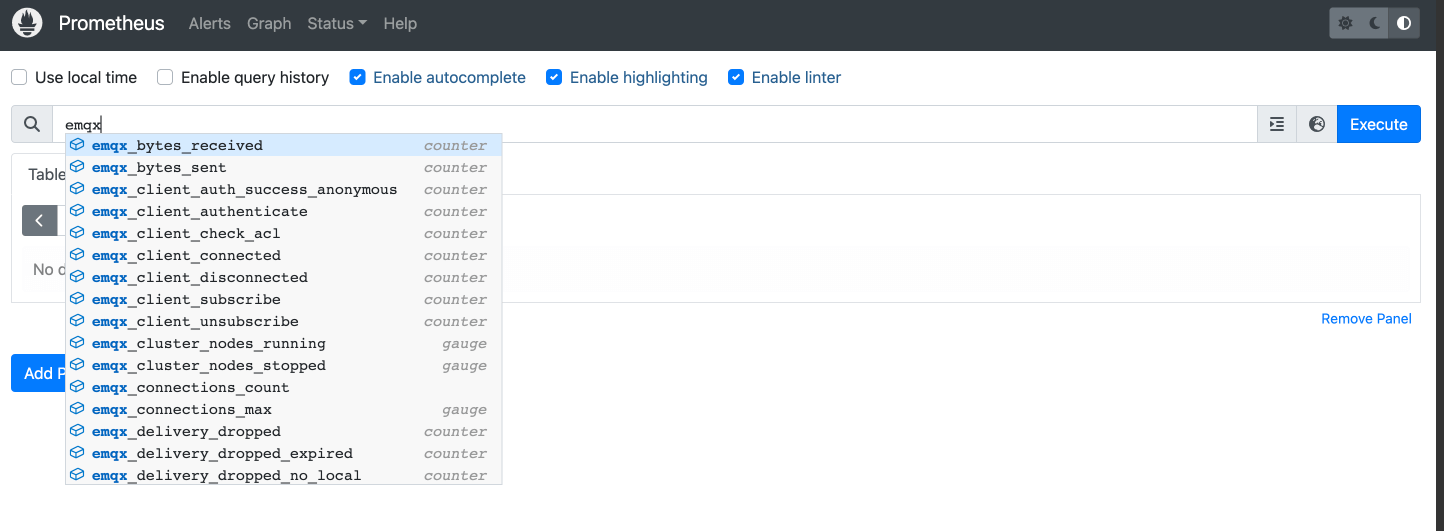
Open the Prometheus expression browser and enter emqx to view EMQX metrics, as shown in the following figure:
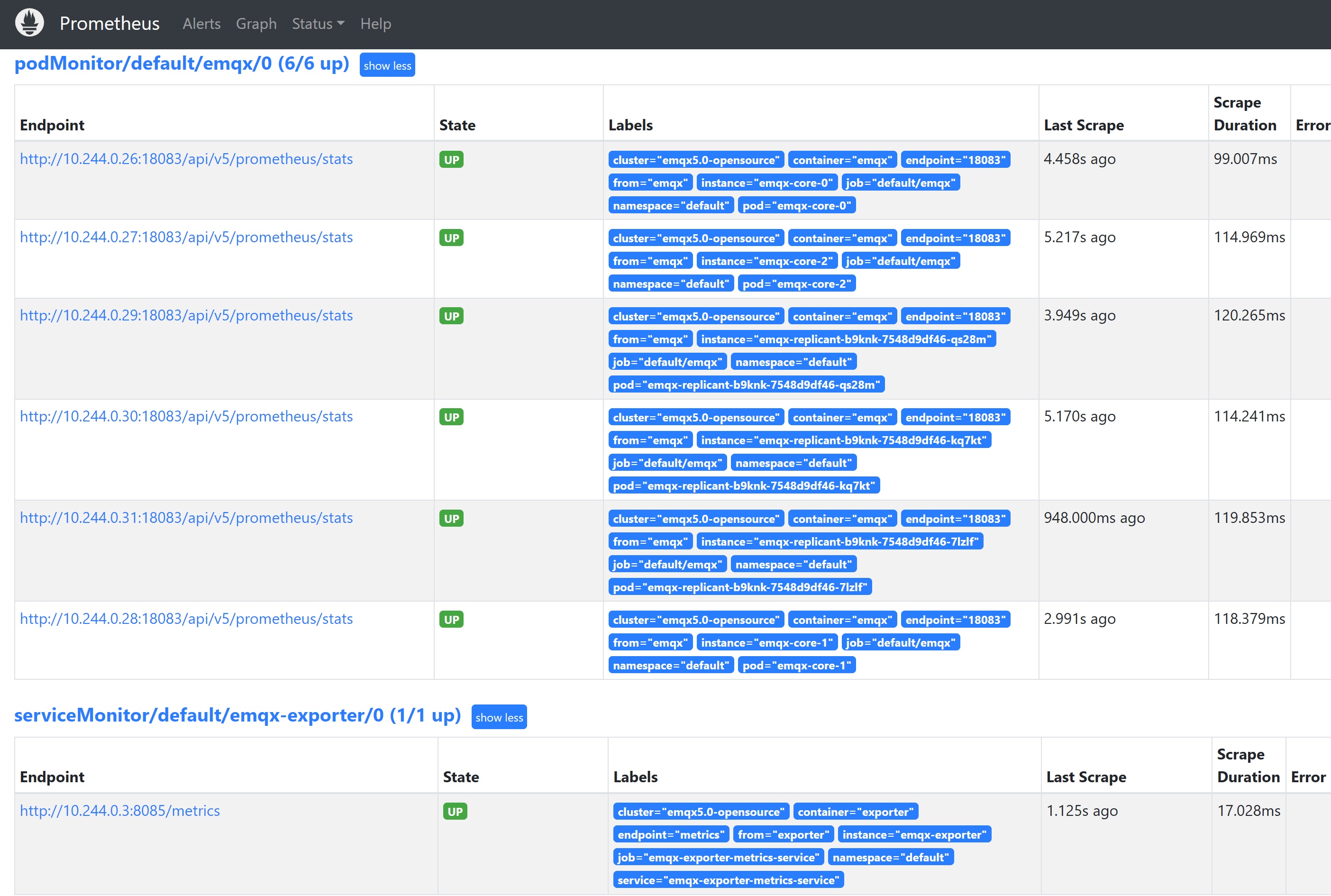
Open Status -> Targets to view all monitored EMQX Pods in the cluster:
Import a Grafana Dashboard
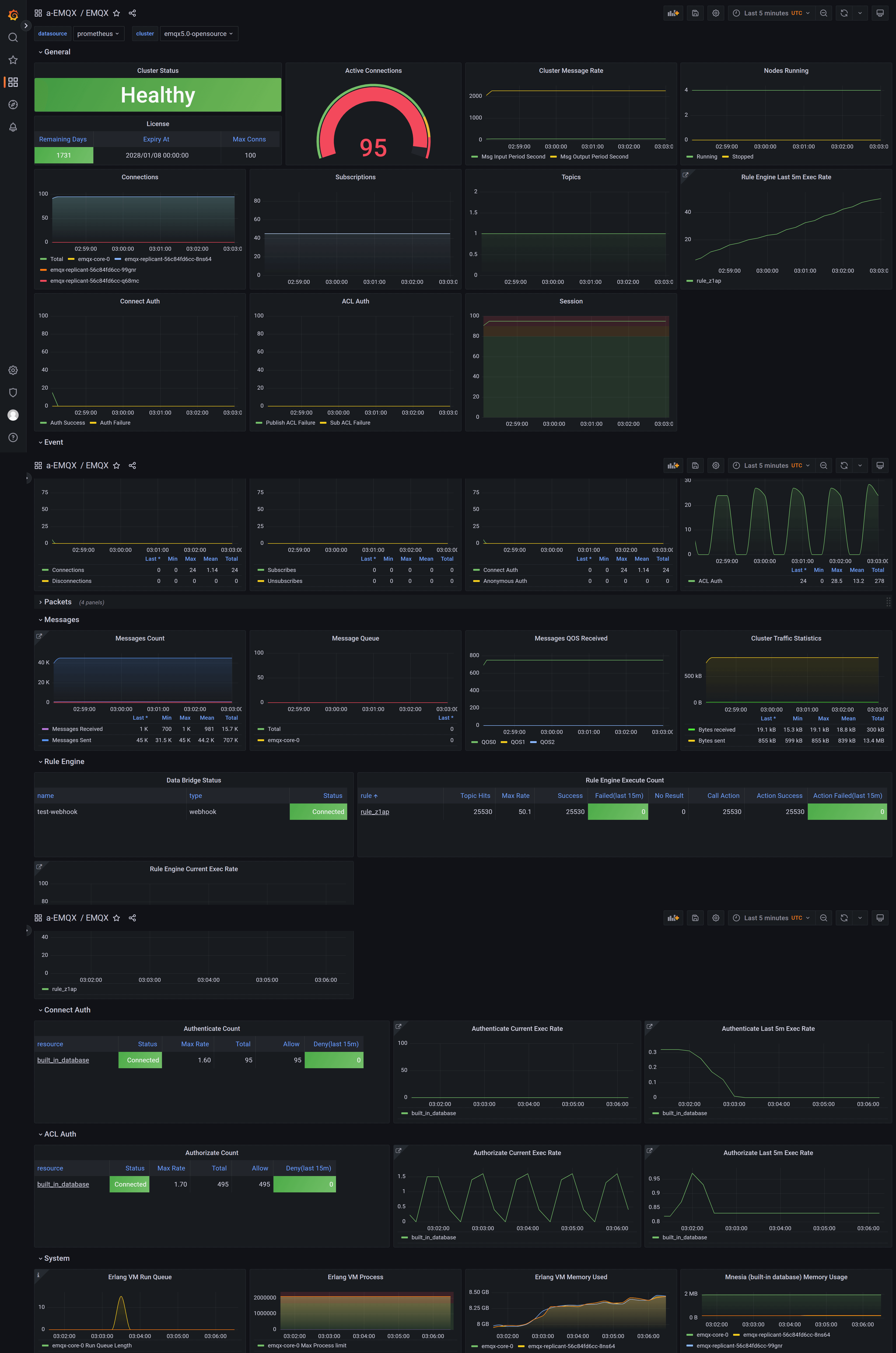
Import the EMQX Grafana dashboard and select the Prometheus data source that scrapes the EMQX Pods.