License Installation
Step 1 Install License
The commercial pluggable modules can only be used when a valid license has been installed. If the license has expired, user can apply for a valid license from official website and install it as shown below.
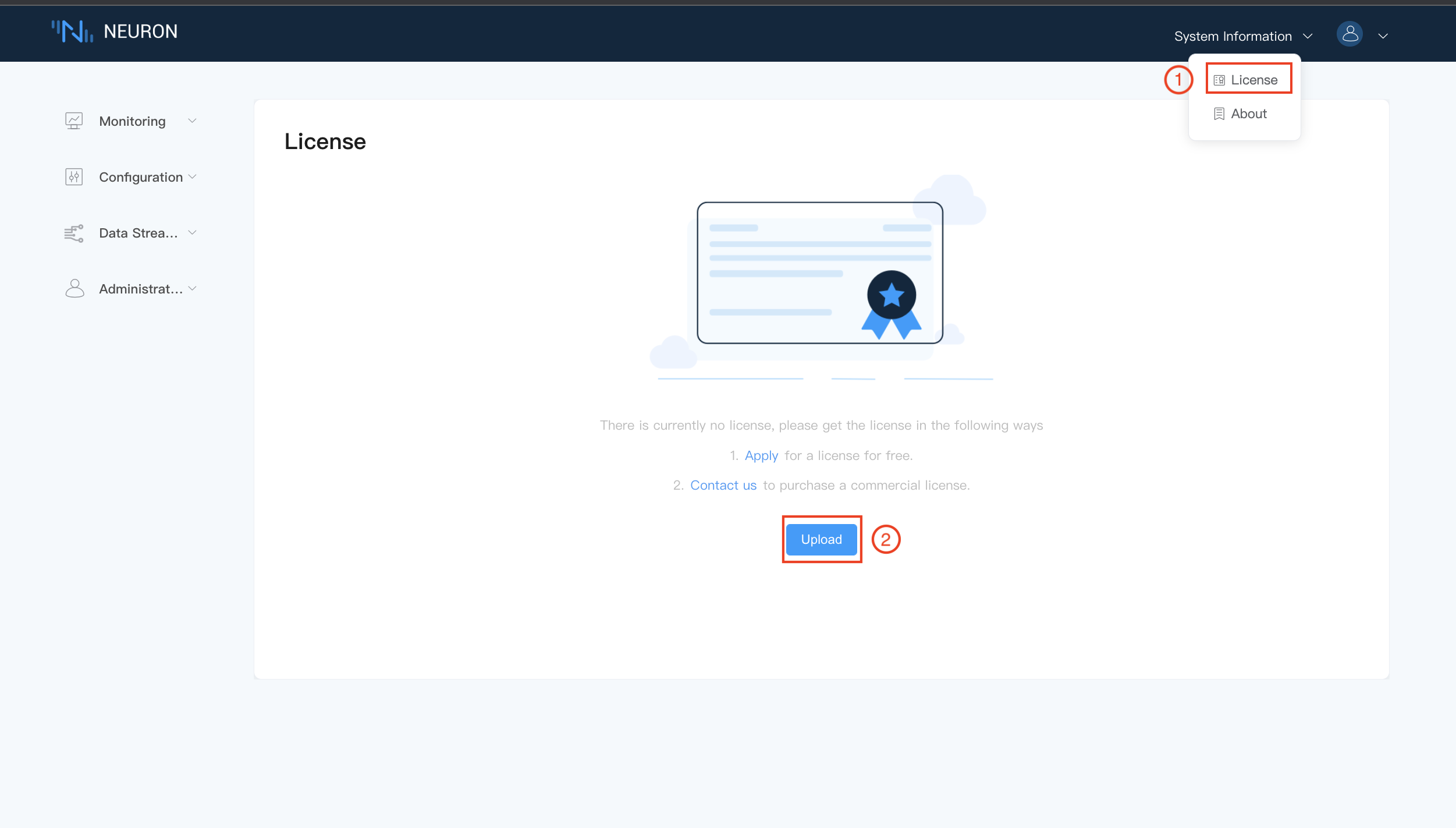
To install a license,
- Click on the
Licensefrom the System Information drop-down box in the upper-right corner. - Click on the
Uploadbutton to select the license file and then submit.
TIP
Users can apply for a trial license from official website by clicking on the Apply, or contact our sales representatives to purchase a commercial license by clicking on the Contact us.
Step 2 Check over the License details
After the license is successfully installed, it will display the license information, as shown below.
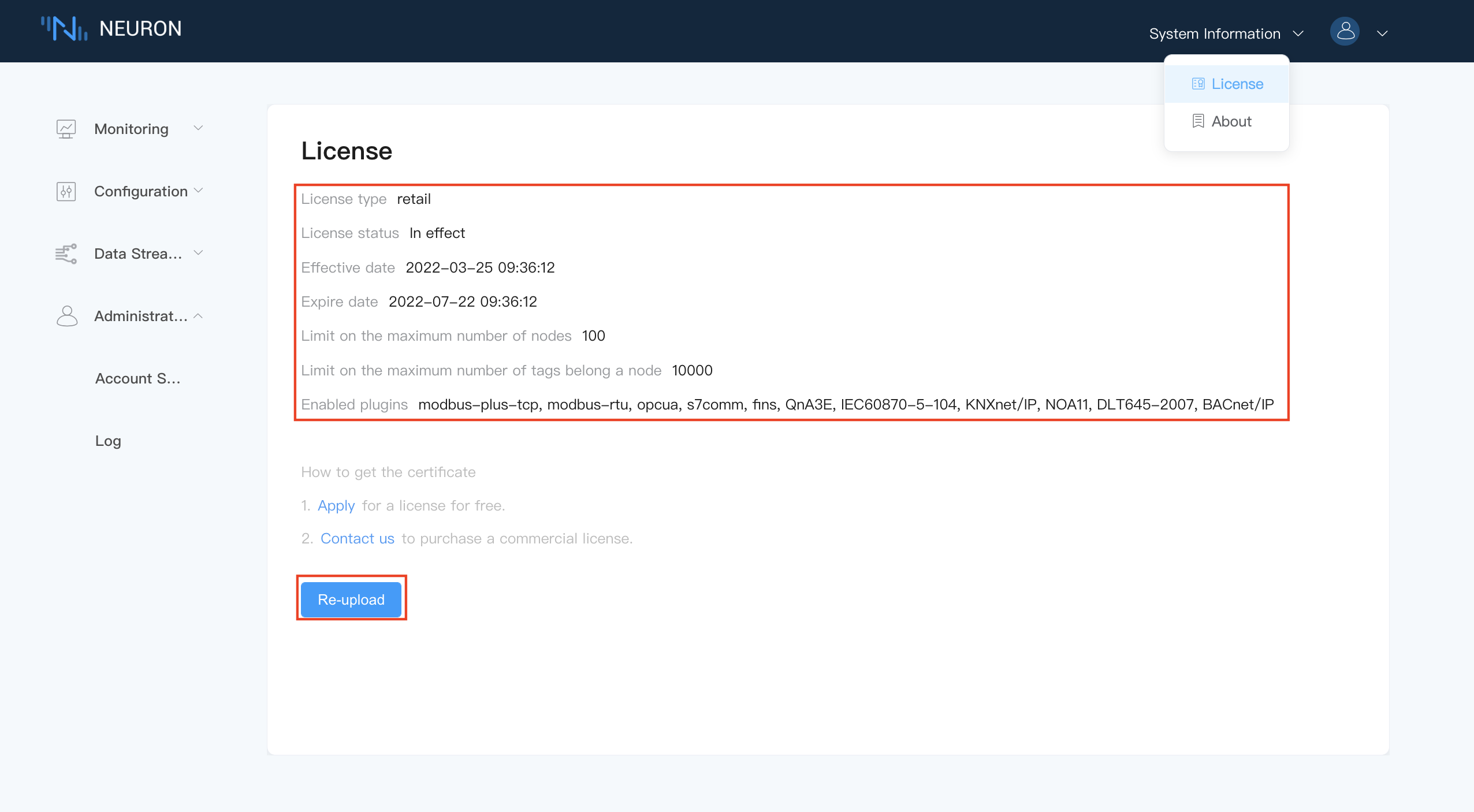
The license page details includes following items.
Expire date, if the license has expired, the system would not work correctly anymore. Users must obtain a new valid license from official website,Re-uploadthe new license as procedure above.Limit on the maximum number of nodes, The maximum number of connection nodes that Neuron can create, a node can be either a southbound device or a northbound application.Limit on the maximum number of tags belong a node, The maximum number of total data tags that Neuron can create.Enabled Plugins, List of all the authorized pluggable modules for this license.