Hot Update Settings
In EMQX Edge, several of the MQTT broker’s configuration parameters support hot updates. It means you can change them on the fly without restarting the broker.
Hot Update Configurations
Here are the configurable settings you can update live:
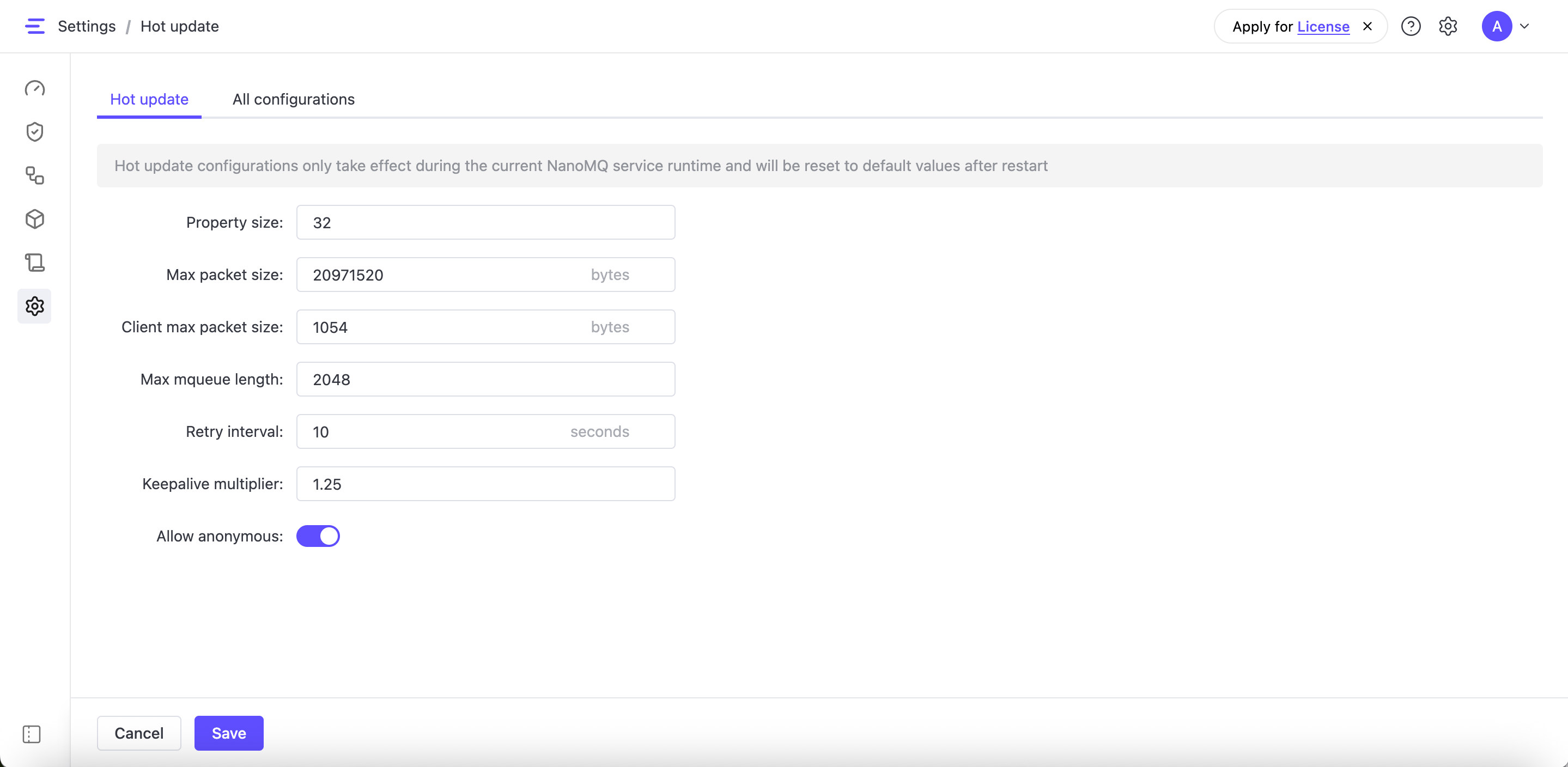
- Property size: The maximum size (in bytes) of a MQTT user-defined property. These are optional metadata items included in MQTT packets to carry extra information.
- Max packet size: The maximum allowed size (in bytes) for MQTT payload that EMQX Edge can accept or send.
- Client max packet size: Similar to “Max packet size”, this would define the default maximum packet size a client is allowed to issue.
- Max mqueue length: The maximum length of in-flight window queue. It's the maximum number of messages waiting for acknowledgment for QoS 1 or QoS 2.
- Retry interval: The interval between retries for QoS 1 and QoS 2 message delivery attempts. Measured in seconds, this also controls the interval of timer in each pipe.
- Keepalive multiplier: A multiplier applied to the MQTT Keepalive value. If no activity occurs within the
keepalive * multiplier, the broker may automatically disconnect idle clients to free resources. - Allow anonymous: Enables or disables connections from clients without authentication.