Skills and Tools
Skills and tools extend a Device Agent beyond its DeviceSpec. DeviceSpec owns commands, state, and events; skills and tools add reusable workflows, knowledge, and callable external actions such as reports or energy-saving recommendations.
When to Use Them
Complete the DeviceSpec first, then add skills or tools when needed. Do not model device-native commands as tools, and do not use a skill when the action must call another system.
| Goal | Recommended option |
|---|---|
| Add an action the device can perform, such as setting temperature, turning power on or off, or switching mode | Update commands in the DeviceSpec |
| Add status or events the device reports, such as humidity, cooling state, or abnormal alarms | Update properties and events in the DeviceSpec |
| Make the Device Agent answer through a fixed process, such as an inspection report, troubleshooting checklist, or energy-saving recommendation | Import and enable a skill |
| Let the Device Agent access external information or run independent logic, such as energy policy, building-system state, or an alert service | Create and enable a tool |
| Let the Device Agent write local files or run shell commands | Enable the corresponding tool permissions in Configuration |
Import a Skill
A skill is a reusable instruction package. After a skill is enabled, users still make requests in natural language. The Device Agent loads the matching skill when needed and follows the workflow in that skill.
In the Skills tab, you can import, enable, disable, export, or delete user skills.
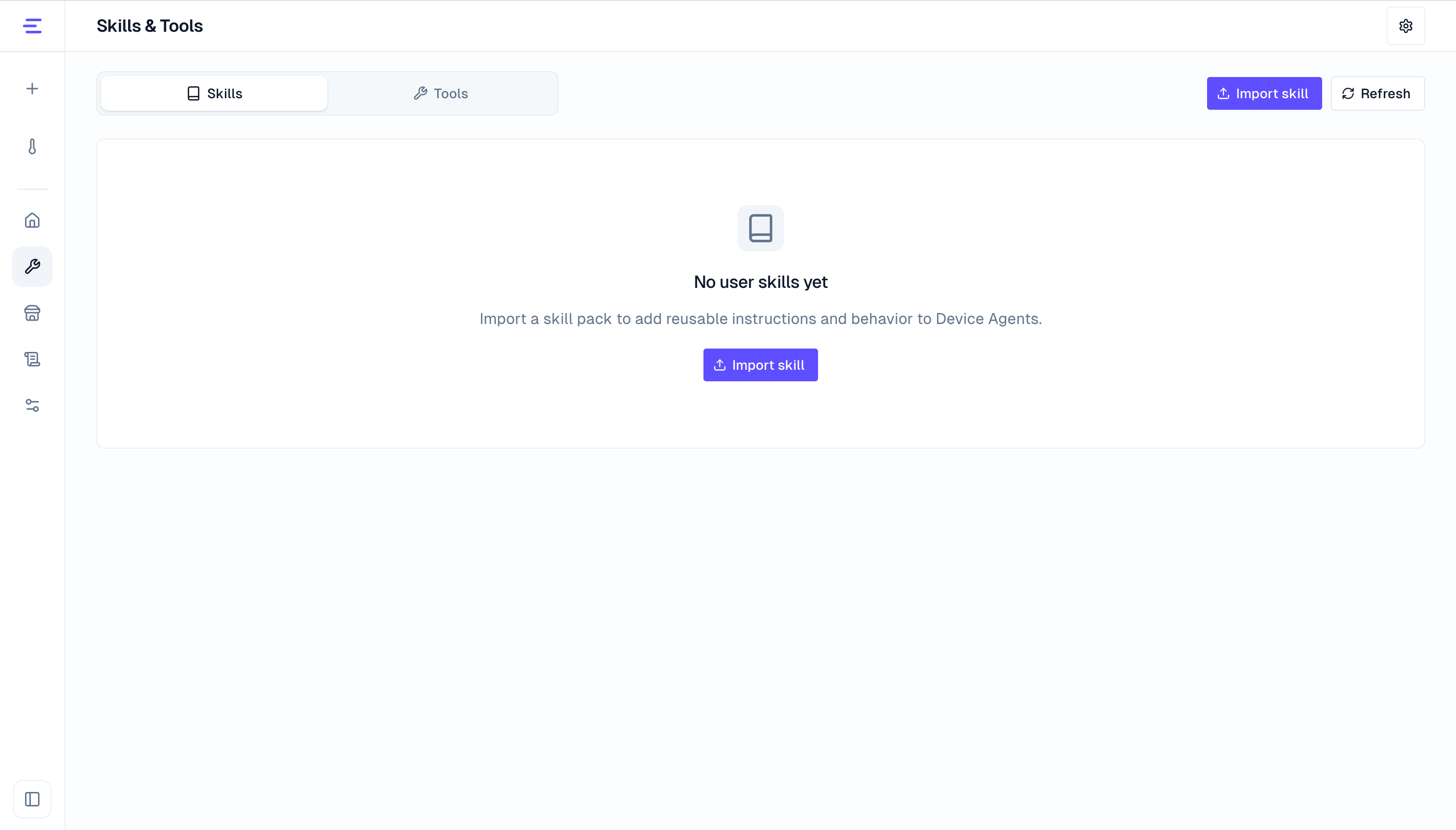
Skills are imported as .zip files. The archive must contain a folder with SKILL.md:
thermostat-inspection/
  SKILL.md
  references/
  templates/
SKILL.md must include name and description in frontmatter:
---
name: thermostat-inspection
description: Generate an inspection report from thermostat status and recent events.
---

# Thermostat Inspection

...
Using the thermostat from Quick Start as an example, after importing and enabling an inspection skill, ask:
Create an inspection report for the current thermostat using its recent status, alarm events, and recommended actions.The user does not need to type use_skill. The Device Agent decides whether to load a skill based on the request and skill description. Built-in skills are provided by the runtime and are not managed in the user skill list.
Create a Tool
A tool wraps a callable action. It can run local logic or call another system. After a tool is enabled, users still make requests in natural language. The Device Agent decides whether to call the tool based on its name, description, and parameter schema.
In the Tools tab, you can view, enable, disable, or delete user tools, and open the tool editor to create a new tool.
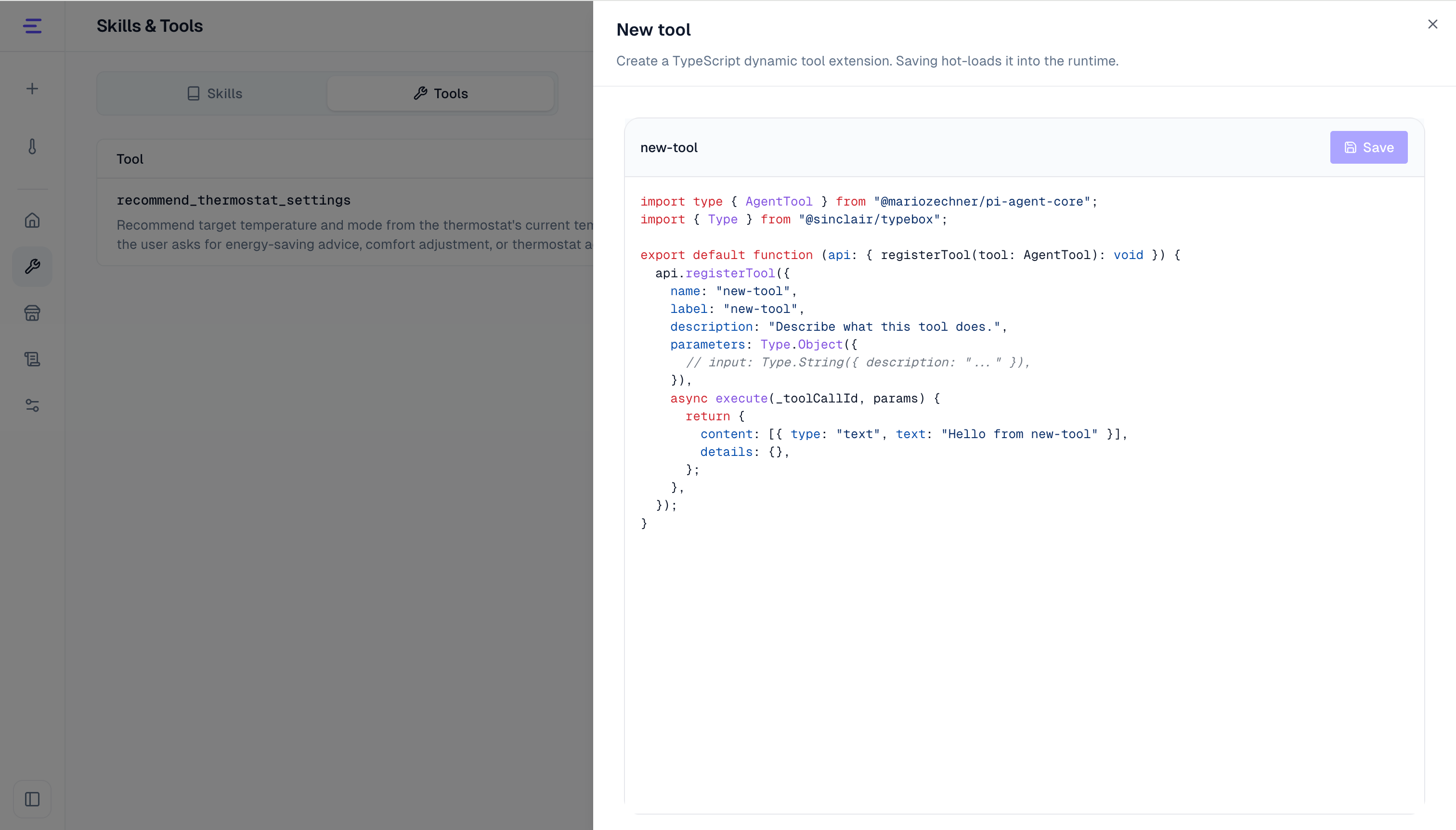
The common steps are:
- Open Skills and Tools, then switch to Tools.
- Click Open Tool Editor, then click New extension.
- Edit the tool
name,label,description,parameters, andexecutelogic. - Click Save. After it is saved, the tool is loaded into the current runtime.
- Return to the Tools tab, confirm that the tool appears in the list, and keep it enabled.
The following example recommends thermostat settings from the current temperature and humidity. It does not depend on an external endpoint, so it can be saved and triggered from a conversation directly. The actual device control command is still sent through commands defined in the DeviceSpec.
import type { AgentTool } from "@earendil-works/pi-agent-core";
import { Type } from "@sinclair/typebox";

function recommendSettings(currentTemperature: number, humidity: number) {
  if (currentTemperature >= 30) {
    return {
      mode: "cool",
      targetTemperature: 24,
      reason: "The current temperature is high, so cooling and a lower target temperature are recommended.",
    };
  }

  if (currentTemperature <= 18) {
    return {
      mode: "heat",
      targetTemperature: 22,
      reason: "The current temperature is low, so heating and a comfortable target temperature are recommended.",
    };
  }

  if (humidity >= 70) {
    return {
      mode: "auto",
      targetTemperature: 24,
      reason: "Humidity is high, so auto mode is recommended so the device can adjust to the environment.",
    };
  }

  return {
    mode: "eco",
    targetTemperature: 24,
    reason: "The current temperature and humidity are comfortable, so energy-saving mode is recommended.",
  };
}

export default function (api: { registerTool(tool: AgentTool): void }) {
  api.registerTool({
    name: "recommend_thermostat_settings",
    label: "Recommend thermostat settings",
    description: "Recommend target temperature and mode from the thermostat's current temperature and humidity. Use only when the user asks for energy-saving advice, comfort adjustment, or thermostat adjustment based on current state.",
    parameters: Type.Object({
      currentTemperature: Type.Number({ description: "Current temperature in Celsius" }),
      humidity: Type.Number({ description: "Current humidity percentage" }),
    }),
    async execute(_toolCallId, params: { currentTemperature: number; humidity: number }) {
      const recommendation = recommendSettings(params.currentTemperature, params.humidity);

      return {
        content: [
          {
            type: "text",
            text: `Recommended ${recommendation.mode} mode with target temperature ${recommendation.targetTemperature}°C. ${recommendation.reason}`,
          },
        ],
        details: recommendation,
      };
    },
  });
}
The tool description should explain when to use the tool, and the parameters should make required input explicit. content is shown in the conversation, while details keeps structured output. To connect a real business system, replace recommendSettings with an internal API, database, or service call.
Use From Conversation
Describe the goal, target device, and condition in the conversation:
Recommend energy-saving settings from the current temperature and humidity. If the recommendation looks right, update the target temperature and mode on the current simulated device.The Device Agent can read the selected device state first, call recommend_thermostat_settings to calculate a recommendation, then use the thermostat command defined in the DeviceSpec to control the device. The Device Agent selects the tool during the conversation; no manual tool call is required.
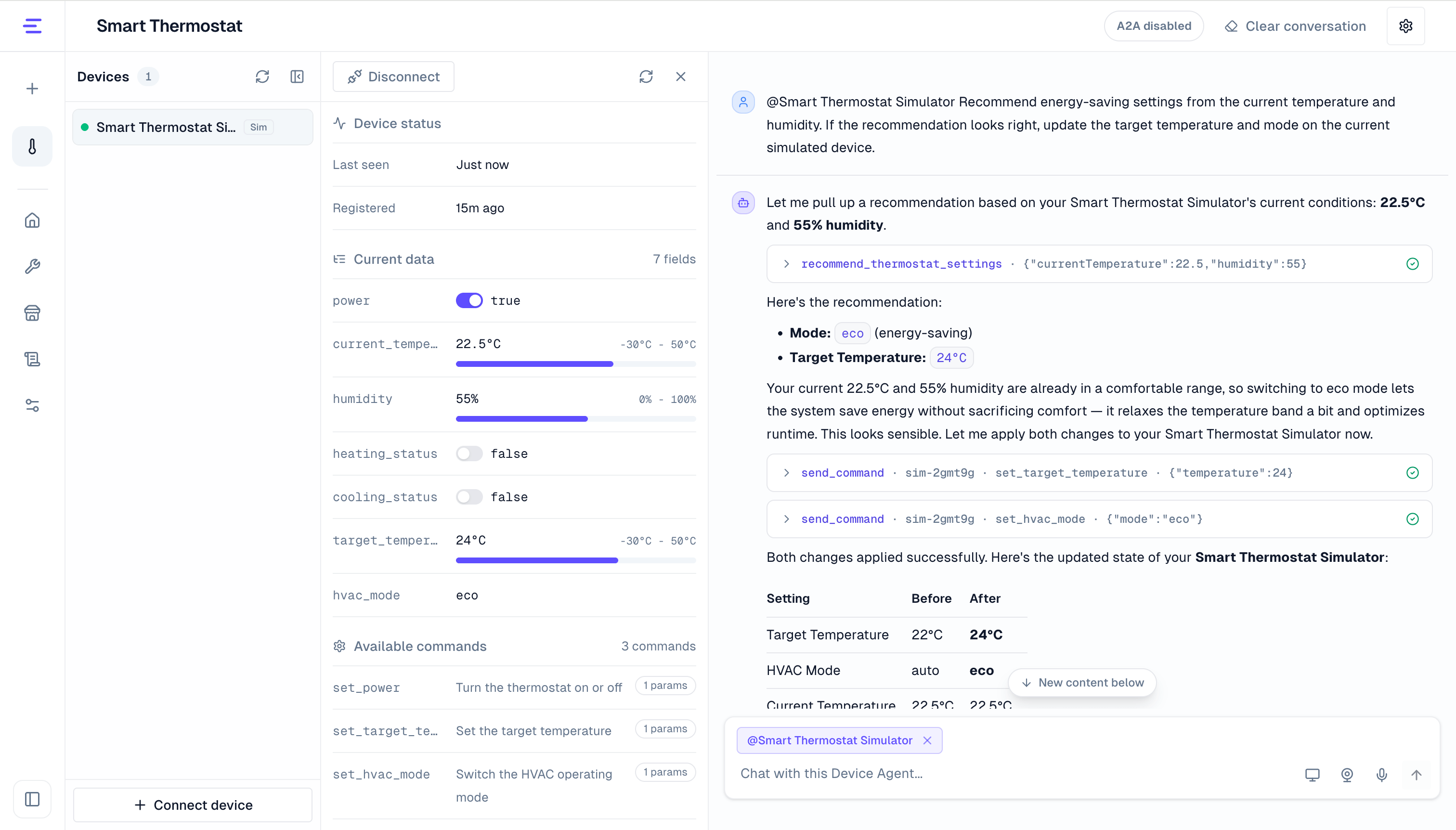
Built-in capabilities are provided automatically when the current context supports them. They do not need to be created from the Skills and Tools page.
Permissions and Validation
- After adding, editing, or disabling a tool, start a new conversation to test it. Existing conversations keep the tool list they had when they were created.
- Tool names can contain only letters, numbers, underscores, and hyphens, and cannot conflict with built-in tool names.
- Tool editor saving and deleting are controlled by
permissions.tools.toolEditorMutations.enabledin configuration.ENABLE_TOOL_EDITOR_MUTATIONScan seed that value at startup. - Do not expose the tool editor to untrusted users. Tool code runs in the local runtime and should be reviewed like code.
write_fileandexecute_commandare high-privilege built-in tools. Configure them in Configuration.- Skill: the response should follow the structure, workflow, or terminology from the skill.
- Tool: the conversation should show tool execution and return the tool result.
- Device control: final device commands are still sent through the command definitions in the DeviceSpec.