Voice Interaction
Voice interaction connects microphone input to the selected device session. Recognized text drives DeviceSpec-based queries or controls; online state, command execution, and reporting still use MQTT or the device SDK.
Before You Start
Before enabling voice, complete these steps:
- Create a Device Agent and define the DeviceSpec for the target device. Voice requests ultimately resolve to these commands, property fields, and events.
- Connect the target device through MQTT or the device SDK, and make sure it can receive commands, return results, and report state.
- Prepare usable speech recognition and speech synthesis provider credentials.
- Console usage requires browser microphone permission. SDK or device-side integration requires device-side microphone capture and audio playback.
Configure Voice
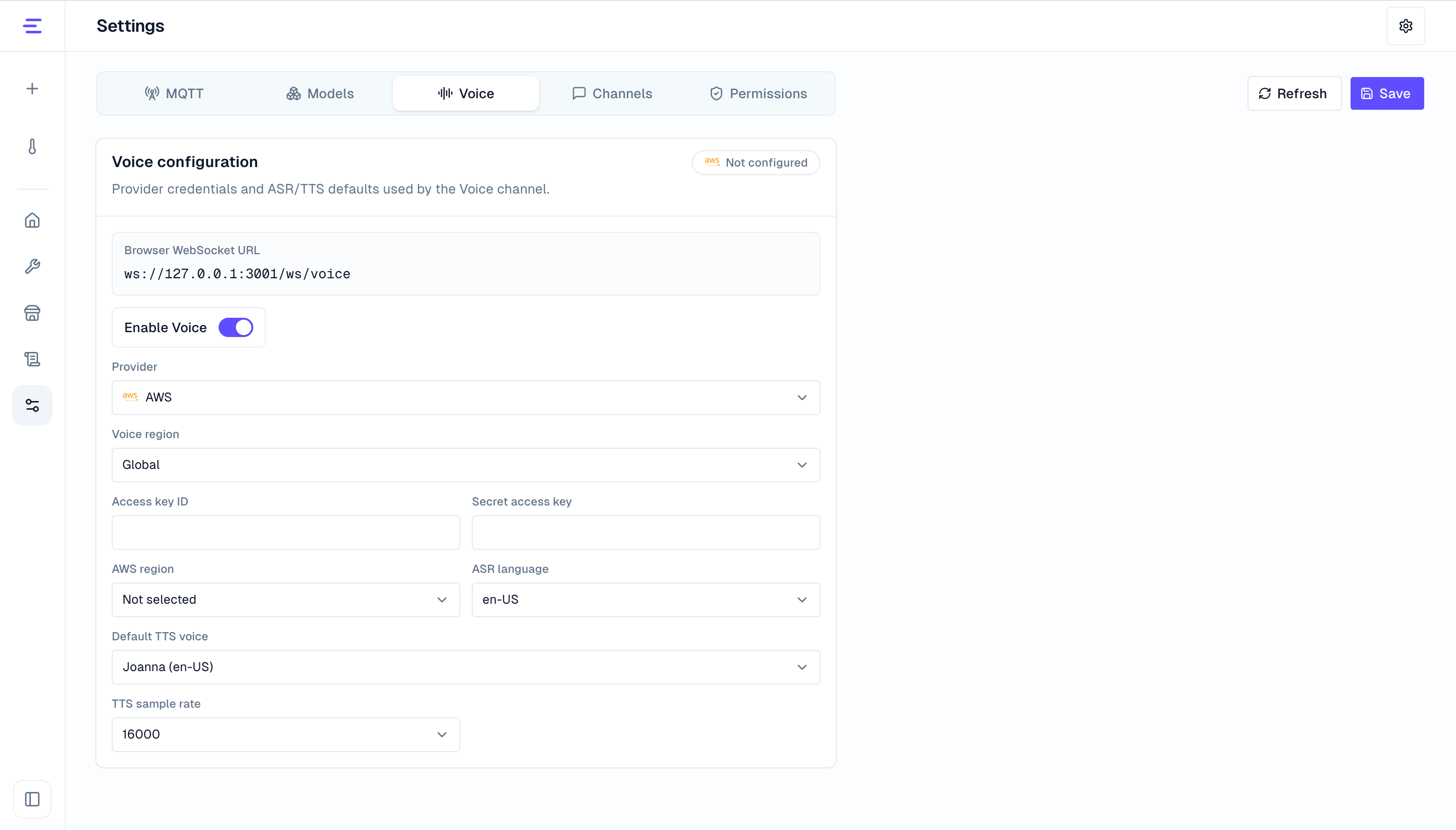
Enable voice in Configuration, then choose a speech provider. Current providers include:
| Provider | Capability |
|---|---|
| Volcengine | Speech recognition and speech synthesis |
| Aliyun DashScope | Speech recognition and speech synthesis |
| AWS | Transcribe for speech recognition and Polly for speech synthesis |
| ElevenLabs | Speech recognition and speech synthesis |
Common settings include:
- Voice enablement.
- Voice bind address and port.
- Voice region, recognition sample rate, provider credentials, recognition model, synthesis model, and voice.
- Voice TLS for remote browser access or production deployment.
See Voice Configuration for remote access.
Console Usage and SDK Integration
Voice interaction has two usage paths. A common flow is to validate recognition quality and the control path in the console, then integrate the SDK on a real device.
| Path | Use case | Requirement |
|---|---|---|
| Console usage | Development, demos, and validation that the DeviceSpec works well with voice control | Enable voice, select a device, then start a request with the browser microphone |
| SDK/device-side integration | Devices with microphones, speakers, or system audio interfaces | Connect the device side to /ws/voice, send audio frames, and play returned TTS audio |
Console usage is best for quickly checking speech recognition, device context, and command behavior. SDK or device-side integration handles audio capture and playback on real devices. Both paths enter the same Device Agent session and use the same DeviceSpec.
Console Usage
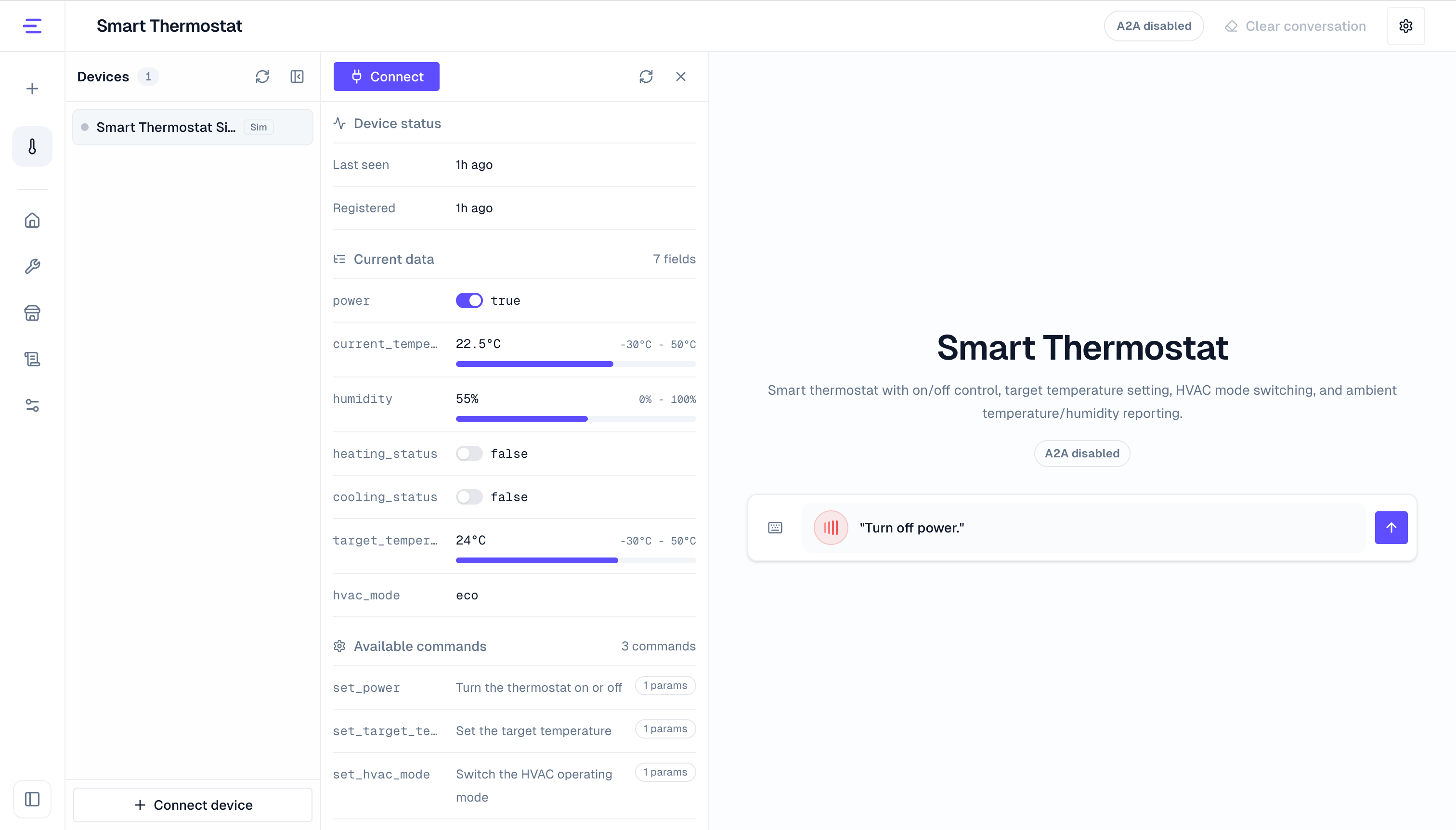
Open a Device Agent workspace, select a device, then open the voice entry point. Later voice requests are bound to that device.
In the console, you can:
- Start a voice command related to the DeviceSpec, such as querying state, adjusting a parameter, or triggering an action.
- Check whether the recognized text is correct and whether the Device Agent calls the expected command or reads the expected state.
- Listen to the spoken response or interrupt playback when needed.
- Convert the recognized text back into the input box to troubleshoot recognition or prompting issues.
If camera is also enabled, a voice turn can include the current camera frame. The Device Agent can use vision when the user asks about visible context, such as status lights, screen text, or objects in view.
SDK/Device-Side Integration
After generating a device SDK, the bundle includes voice connection values such as VOICE_CHAT_HOST; the C SDK also includes a runnable voice chat example. A device-side integration usually follows this flow:
- Start the device-side MQTT or SDK connection and confirm that the device is online in the console.
- Read the voice configuration from the SDK bundle and connect to Agent Gateway at
/ws/voice. - Send
helloafter the connection opens, including device ID, session ID, provider, and audio parameters. - Send
listenwhen the user starts speaking, then stream 16 kHz mono Int16LE PCM audio frames. - Send
stopwhen the user stops speaking. Attach vision frame references if the turn should include camera context. - Listen for ASR text, Device Agent replies, and TTS audio frames, then play the audio on the device speaker or system audio output.
If not using a generated SDK, connect directly with the WebSocket protocol. See API Reference for message types, headers, and a hello example.
When a voice request controls a device, the real device still receives commands and returns responses through MQTT or the SDK. The device side does not need a separate "voice command" branch that diverges from the DeviceSpec.
To generate device-side microphone, speaker, or system audio integration logic, use agent-assisted SDK adaptation in SDK Access.
Verify Results
After console configuration or SDK/device-side integration, verify these results:
- The voice WebSocket connects and
helloreturns session information. - Microphone audio is recognized as text, and the recognized text enters the selected device conversation context.
- State queries read real device state, and control requests call commands defined in the DeviceSpec.
- The device side receives commands, returns results, and shows corresponding records in the console or logs.
- TTS audio plays in the browser or on the real device, and
abortinterrupts current playback. - For remote access or production deployment, clients use Voice connection URL and the expected TLS settings.
Notes
Voice requires an enabled channel, Voice connection URL, microphone permission, and usable speech provider settings. It is optimized for manually started, short spoken exchanges; long reports, tables, code, wake word, and continuous listening scenarios are better handled outside this voice flow.