IoT Platform Integration
Device Agent adds natural language device queries, state interpretation, control, and automation based on device reports to an existing IoT platform. The platform retains device and native model management; Device Agent queries and executes operations through adapted capabilities. Devices without an IoT platform can connect through an SDK or MQTT, with Device Agent managing their models, records, and reported state. Both paths are available in the Device Agent workspace.
Choose an access path
| Current setup | Access path | What to prepare |
|---|---|---|
| Devices already use an IoT platform and need AI queries and control | Through the IoT platform | Native model, platform interfaces, credentials, and device scope |
| New hardware or a device service needs to connect directly | SDK or MQTT | Device capabilities, device identity, and MQTT connection details |
| Hardware is not ready and you want to validate interactions | Browser simulator | A defined model and a device record approved for testing |
The platform adapter determines how a capability executes. Setting a target temperature might use a command on one platform and a desired-state update on another. Device Agent selects the operation supported by the adapter and returns its result.
Keep the native device model
A device model describes what a device can do. Platforms may describe the same capability through properties, services, actions, or device shadows, with different structures and access rules.
After adaptation, Device Agent identifies:
- State: reported temperature, mode, and other values, plus desired state supported by the platform.
- Actions: commands, services, or writable state, with their parameter requirements.
- Events: alerts, failures, and business changes reported by devices.
Keep the platform's identifiers, value constraints, and access rules when defining or editing a model. Device Agent validates the model and operation parameters. History queries and bulk jobs depend on the adapter. A field in the model alone does not make those operations available.
ThingsNeural platform example
This example uses Device Agent's built-in integration with ThingsNeural, an IoT platform. This integration provides AI queries, device control, and automation using the platform's existing devices and native models.
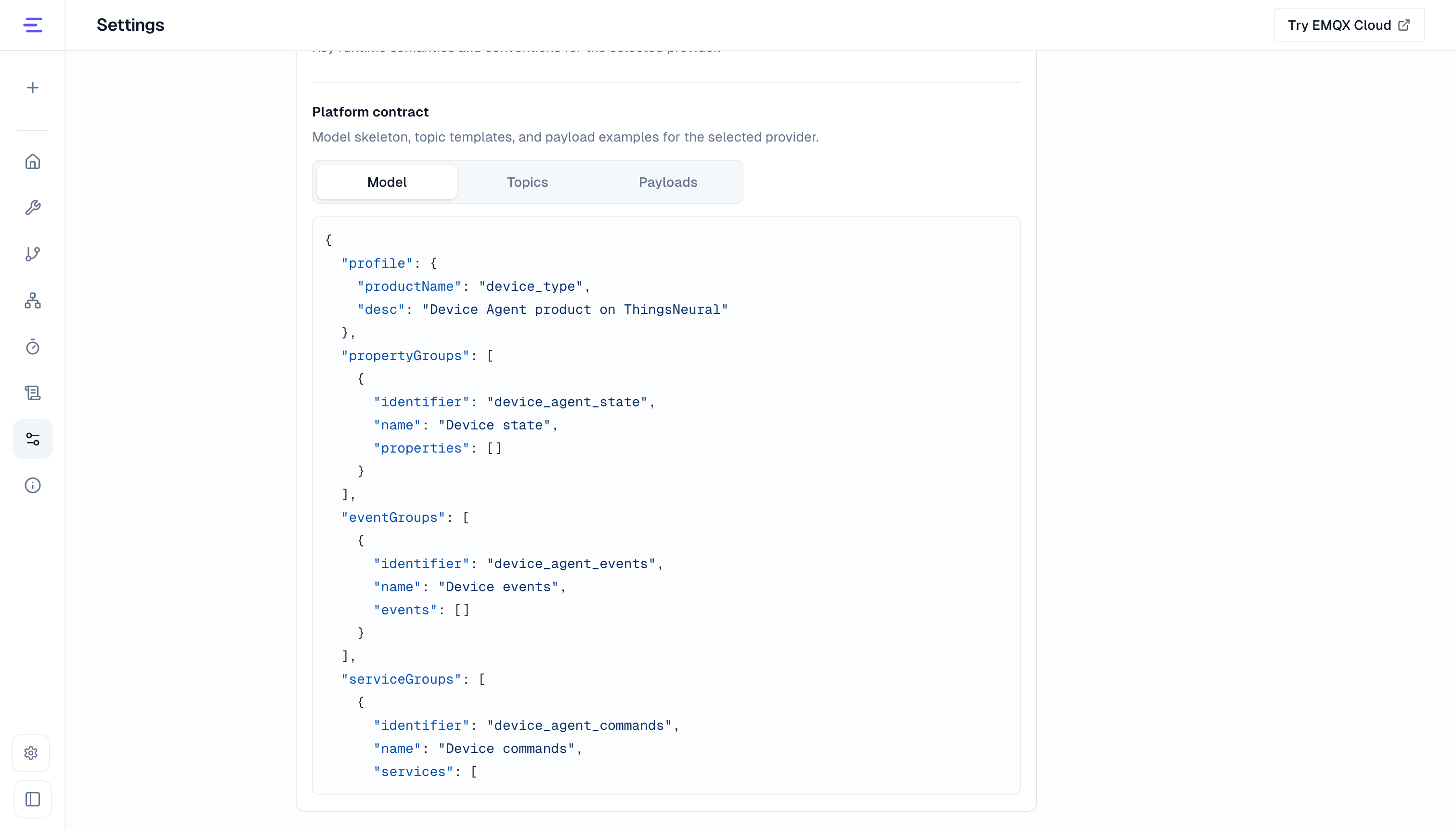
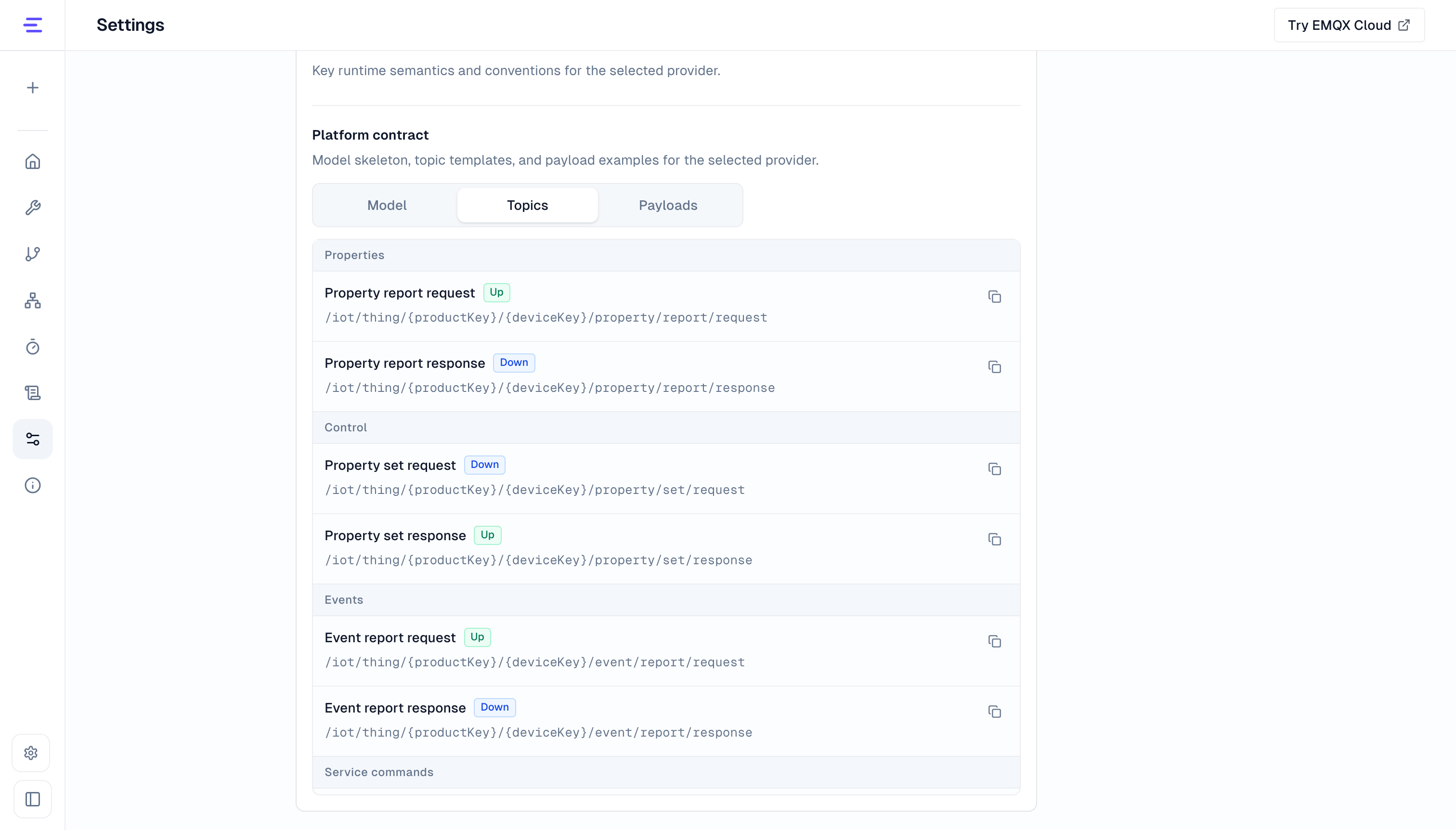
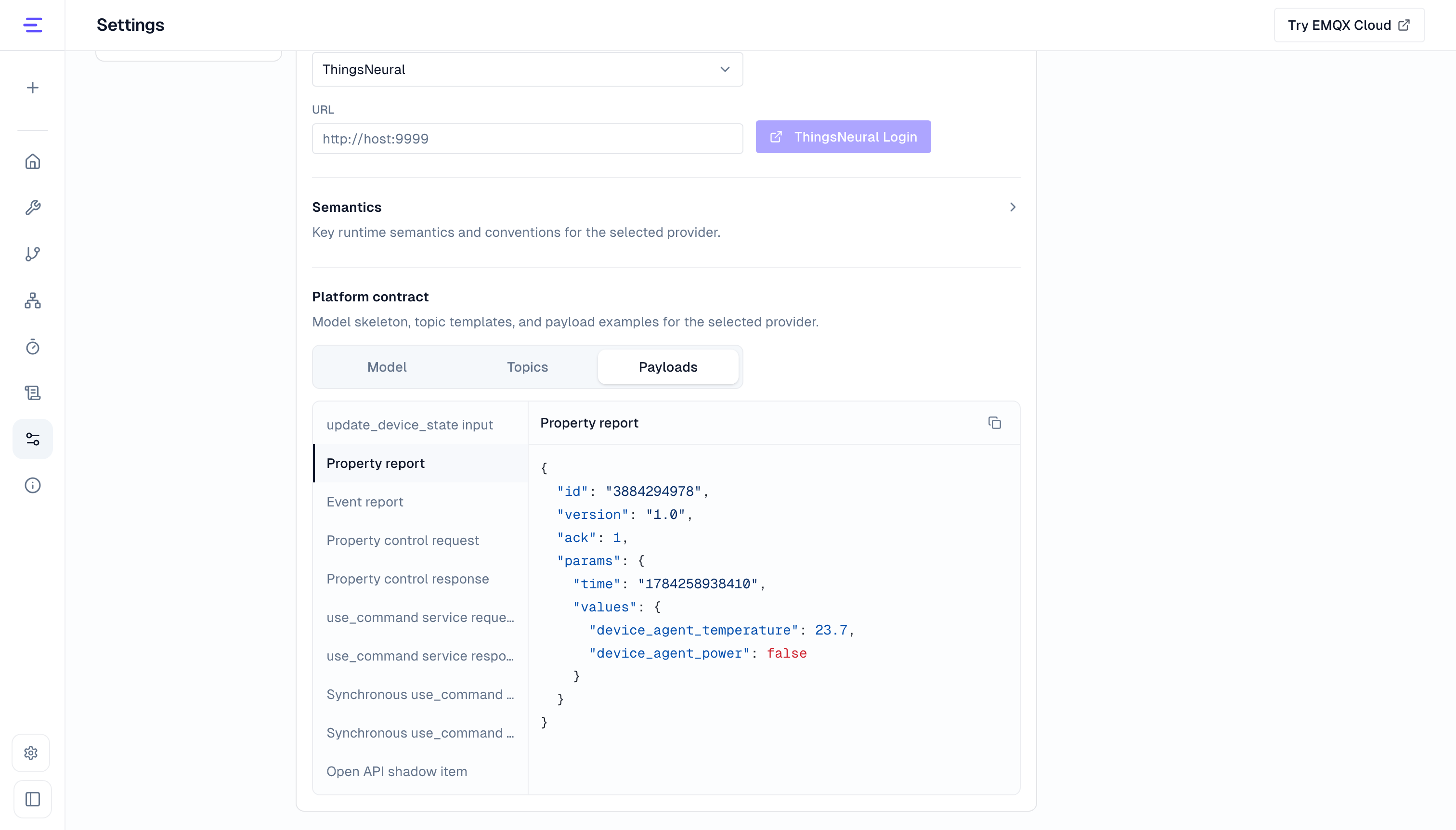
Open Settings → Platform → Platform provider and select ThingsNeural to view Model, Topics, and Payloads. The model is a structural template; the actual device model defines its properties, services, and events. The topic templates and payload examples show the MQTT topics and message formats.
Device Agent supports integration with in-house and third-party IoT platforms. See Connect a new IoT platform for the required information, or contact us to discuss an integration plan.
Configure the platform connection
Integration uses the authentication and API authorization methods supported by the IoT platform. For example, SSO can authenticate users signing in to Device Agent, while credentials such as AK/SK can authorize access to the platform API. See Platform provider for configuration details.
Synchronize and use devices
After connecting the platform, synchronize its native models with Device Agent to create or update the corresponding Device Agents. For example, the ThingsNeural integration provides Sync Products for this operation.
The workspace uses device records and state data from the platform. After a device is selected, Device Agent uses its model and access permissions to query state or execute control through the platform API. See Use a Device Agent for details.
Reuse device capabilities
After validating access, use the same device capabilities for:
| Need | Feature |
|---|---|
| Query state, interpret events, and control devices | Use a Device Agent |
| Check or operate devices at a specified time | Scheduled Tasks |
| React automatically to state or events | Workflows |
| Coordinate Device Agents | A2A Multi-Agent Collaboration |
| Connect business systems, knowledge services, and notifications | Skills and Tools, Webhook |
| Develop or adapt a device program | SDK Access, MQTT Access |
These features use currently available capabilities and permissions. Target devices and platform services must remain available when automation runs.
Connect a new IoT platform
If your platform is absent from the built-in list, complete an adapter before configuring its connection. Prepare the following for an integration assessment:
| Material | Required details |
|---|---|
| Native model | State, actions, events, types, and access constraints |
| Interfaces and authentication | Device listing, state queries, control and response interfaces, scope, and authorization |
| Message protocol | MQTT topics, state and event payloads, and request/response correlation |
| Validation scenario | A state query, a control action, and expected results after a device report |
Adaptation connects these differences to Device Agent capabilities. Conversations and automation then follow the common workflows. For new devices, the adapted model and protocol can also generate SDKs and browser simulation behavior.
For a custom IoT platform integration or production deployment with large numbers of Agents, use the contact details in Platform Overview. IoT platform integration connects existing device systems. The commercial Platform provides production deployment and operational management.