Jev Decision Model
Jev is a decision model from TypeSafe that uses state, a question, and predefined choices to return a selected choice, confidence, and choice probabilities. Device Agent uses it for alert classification, workflow routing, and simple device quick commands without running a full Agent conversation for each choice. Use the Agent for generated text or multi-step work.
Configure Jev
In a local deployment:
- Open Settings → Models → Decision model.
- Turn on Enable decision model.
- Confirm that Provider is TypeSafe. Model defaults to
jev-latest(Jev). - Enter the API key and adjust Timeout (ms) if needed. The default is
5000and the minimum is1000. - Save. Changes apply to the next decision without a restart.
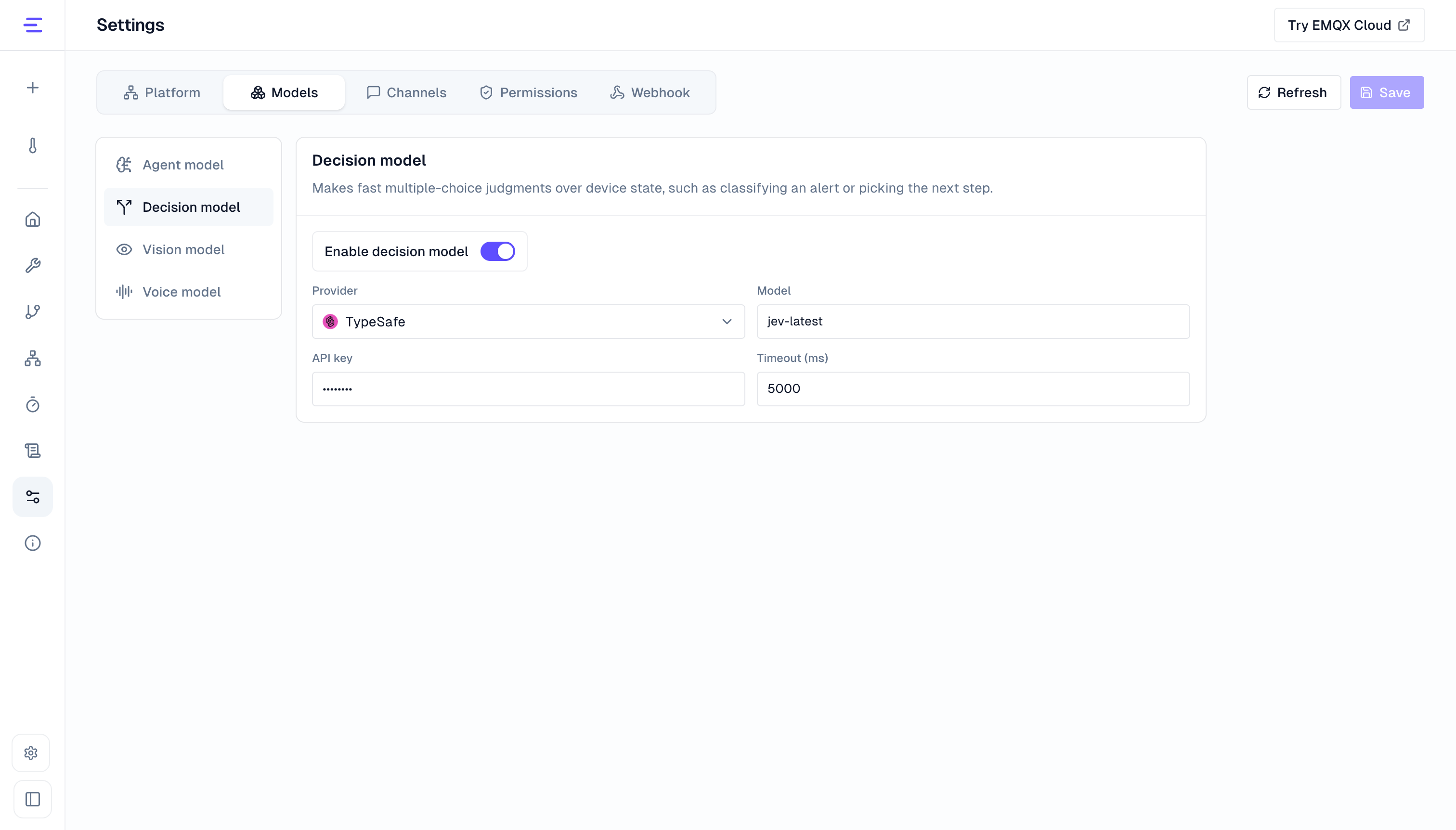
You can also set TYPESAFE_API_KEY in the local .env. Model settings are read-only in the platform console and maintained by the deployment administrator, with the key supplied through a Worker Secret. See Environment Variables.
How Decisions Work
Each decision has three inputs:
| Input | Description |
|---|---|
| State | The evidence for the judgment, such as the device event that triggered a workflow. Up to 32 KiB. |
| Question | The question to answer, such as "How should this battery level be handled?" |
| Choices | 2 to 20 custom choices. Each choice has an ID and a When to choose this option description. |
The system adds an insufficient_evidence choice for abstaining when data is missing, contradictory, or does not support the other choices. State supplies the evidence; the question and choice descriptions define the judgment criteria.
When to Use Jev
A judgment fits Jev when it combines descriptions or several state signals, the outcomes are few and fixed, and abstaining is acceptable. Workflows can use it for:
| Scenario | What Jev chooses | Follow-up |
|---|---|---|
| Alert triage and noise reduction | Urgent / maintenance / false alarm / insufficient evidence | Connect to notification, maintenance, or end nodes |
| Check before a workflow command | Execute / confirm first / reject | Connect the execution choice to the device command, and other choices to notifications or manual handling |
| Initial fault diagnosis | Sensor fault / network issue / power issue / real anomaly | Choices can come from device manuals or operations experience, and each result maps directly to a runbook |
| Workflow branching | Custom branch outputs | Use a workflow decision node |
| Event routing | Which team or process handles it, and whether to wake the Agent | Connect to the corresponding notification, action, or Agent node |
Jev is not recommended when:
- The condition can be written as an explicit rule, such as turning off heating above 80 °C. Use a workflow branch.
- You need pure numeric anomaly detection. Use thresholds, sliding windows, or statistical methods.
- You need generated text, summaries, or multi-step reasoning. Use the Agent.
Workflow Decision Nodes
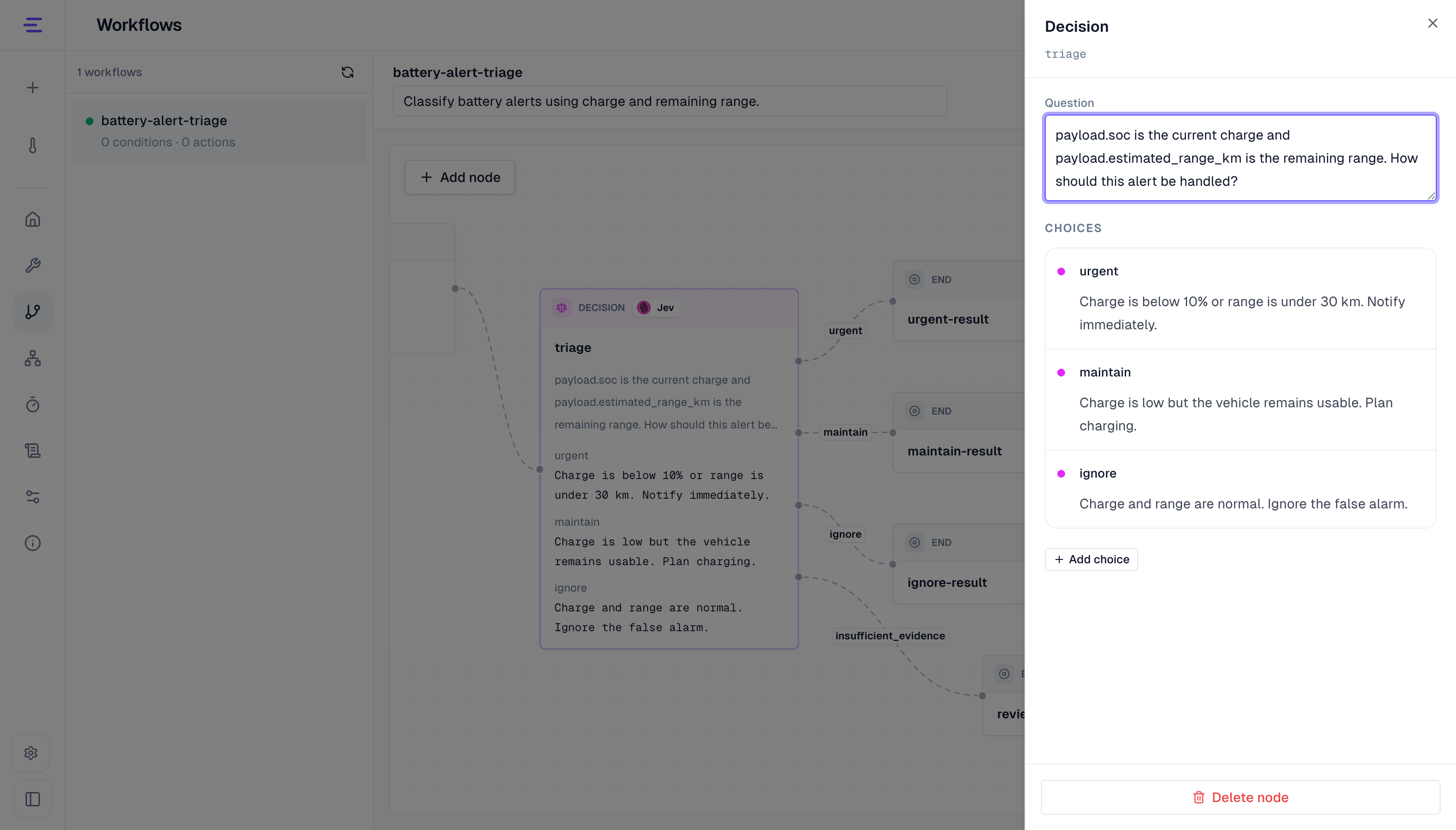
Add a Decision node to a workflow, then enter the Question and the Choices. Each choice becomes an output of the node, plus a fixed insufficient_evidence output. The triggering event is passed to Jev as state, and the workflow continues only along the selected output.
For a low-battery alert, use payload.soc and payload.estimated_range_km to choose between urgent, maintain, and ignore. Connect them to an urgent notification, charging advice, or an end node. Route insufficient evidence to a notification or manual handling. See Workflow Decision Nodes for fields, questions, and choice configuration.
Jev Quick Command
In a local deployment, select a device in its Agent workspace and click Open Jev quick command beside the chat input. Enter an explicit control request in the floating window and send it. Jev selects from the current device model's commands and parameter choices, then sends the command directly without an Agent conversation. For a thermostat that supports a target temperature:
Set the target temperature to 26 °C.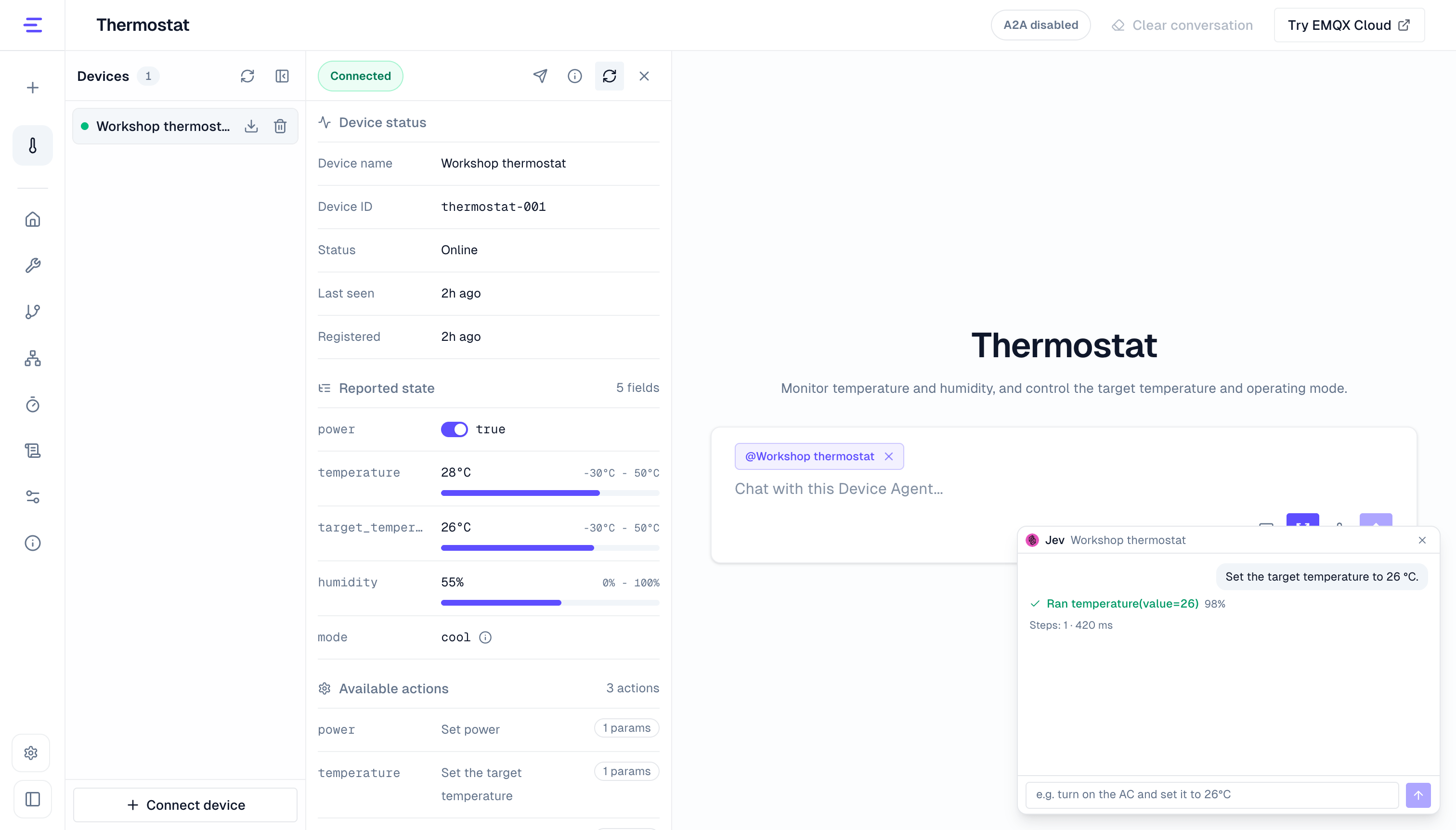
Check each command, parameter, and result in the floating window, then confirm the target temperature in the device state panel. Updating the target does not mean the measured temperature immediately reaches it.
Quick command currently has these limits:
- Use explicit target values. Send relative adjustments such as "a bit brighter" or "2 degrees warmer" to the Agent conversation.
- Parameters can use booleans, enums, and numeric candidates; free text and complex parameters are unsupported. Numbers first come from valid values in the request, otherwise from the model's enums or a bounded range.
- The current device model must have 2 to 19 available commands.
- One message runs at most 5 commands.
- Nothing runs when no command matches. An unresolved required parameter or failed step stops subsequent steps; commands already executed are not rolled back.
Send complex or ambiguous control requests to the Agent in the chat.
Troubleshooting
- A decision step fails as not configured: confirm that the decision model is enabled and the API key is configured. For a platform deployment, ask the administrator to check the Worker Secret.
- A decision times out: increase Timeout (ms), or reduce the state size.
- A workflow always follows
insufficient_evidence: check that the question and choice descriptions match the event fields, and add the data the judgment needs to the triggering event. - Expand the decision step in the workflow run history to see the selected choice, confidence, and choice probabilities.