Ignition 连接示例
Ignition 是由 Inductive Automation 公司开发的一种工业应用平台。它被设计用于快速开发和部署大规模的工业自动化和 IIoT(工业物联网)项目。
本节将演示如何通过 EMQX Neuron OPC UA 驱动连接 Ignition。
连接 OPC UA Server(用户名/密码登录)
打开 Ignition 的管理界面 Config -> OPC UA -> Server Setting,添加可被其他主机访问的 IP 地址到 Bind Addresses,保存配置。 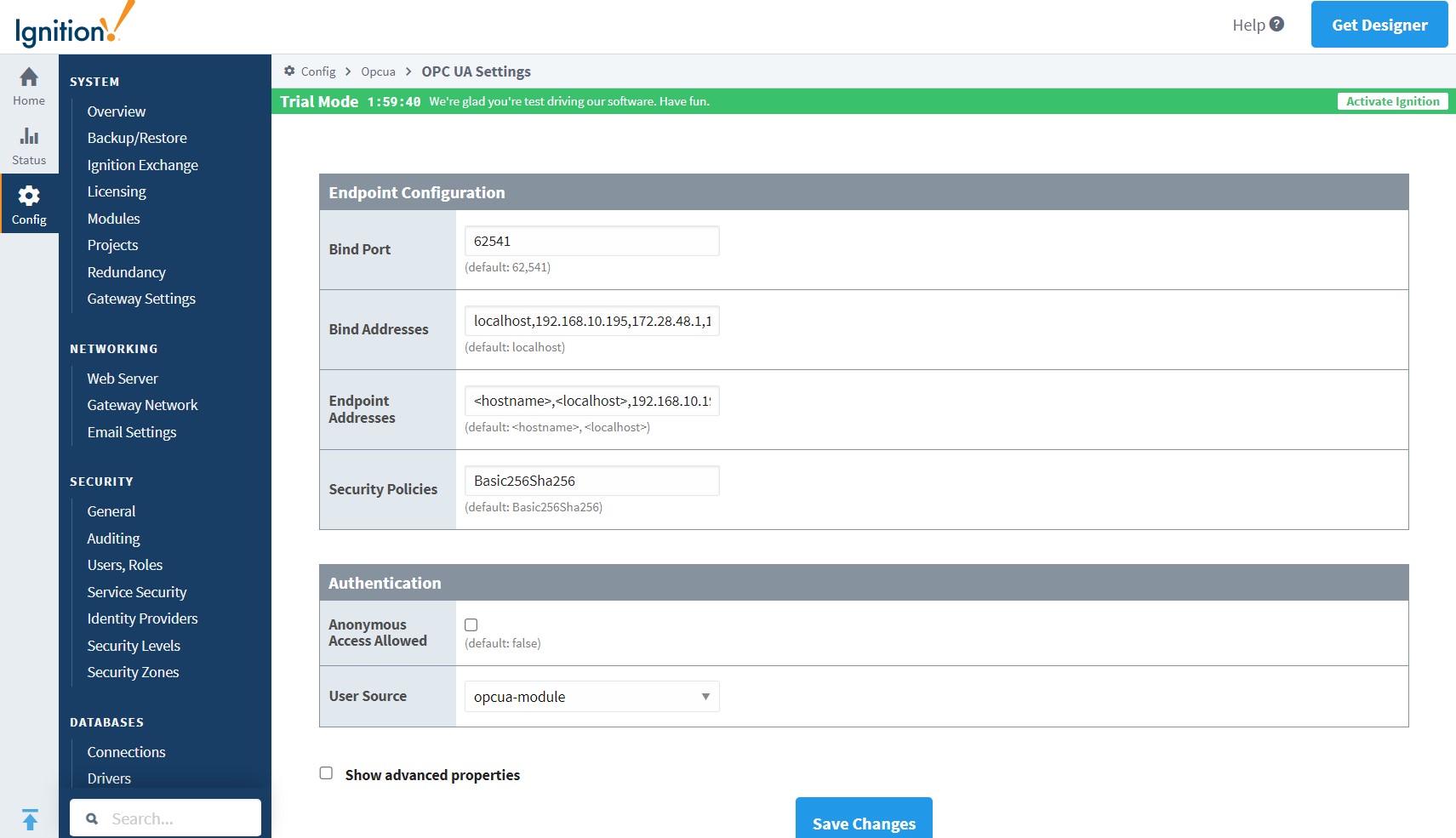
配置 EMQX Neuron
- 通过 UaExpert 软件查看 Ignition 测点信息, 参考 配置 UaExpert。
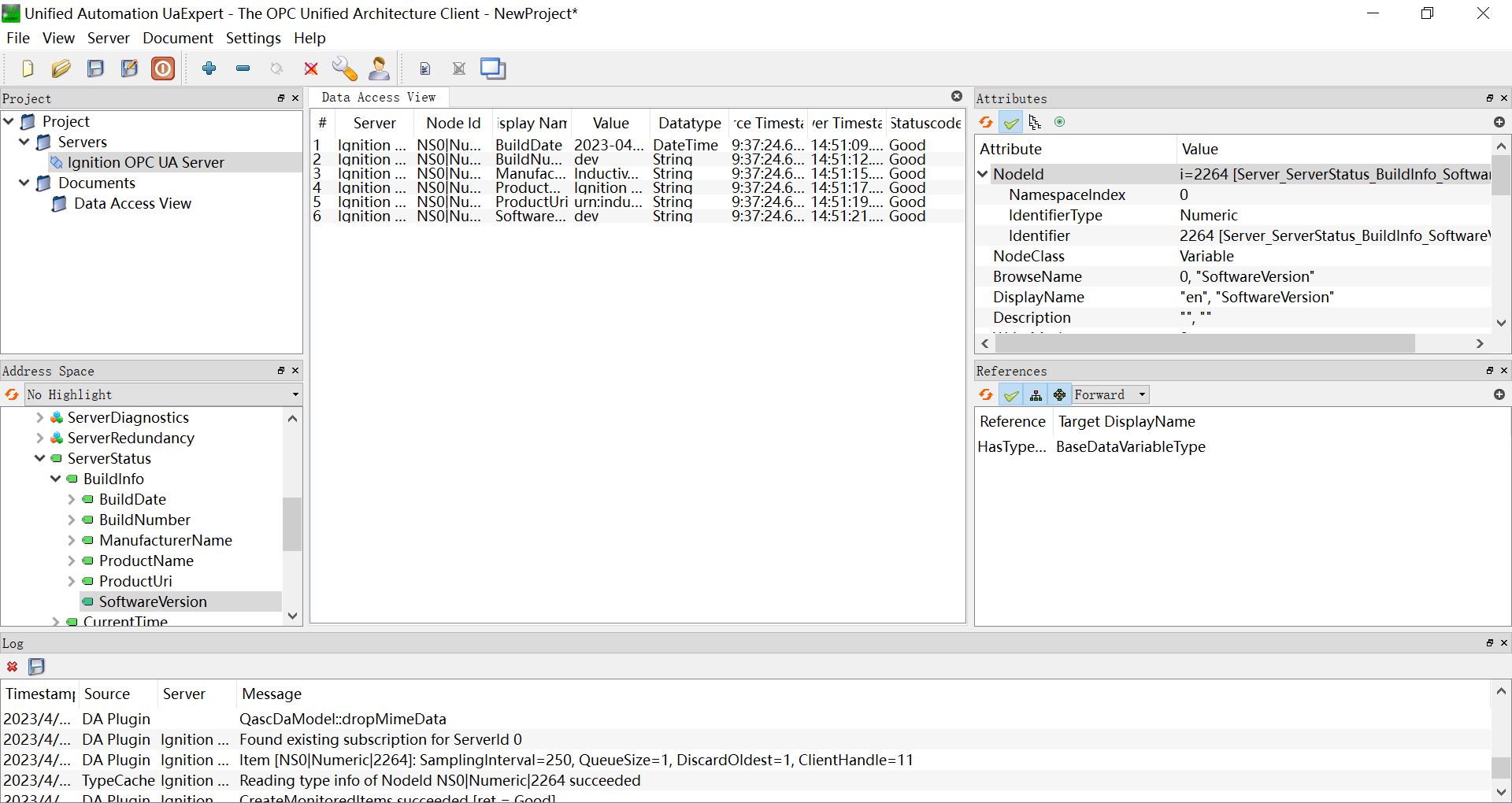
- EMQX Neuron 新增南向 OPC UA 设备,打开 设备配置,
- 端点 URL :填写目标 Ignition 的 URL:
opc.tcp://192.168.10.195:62541/discovery - 用户名设为
opcuauser(Ignition 默认) - 密码设为
password(Igniton 默认) - 无需添加证书/密钥,启动设备连接
- 更新模式:可以修改为 Subscribe 或 Read&Subscribe,以 OPC UA 订阅方式获取数据。
- 端点 URL :填写目标 Ignition 的 URL:
- 根据测点信息添加 Groups 和 Tags。
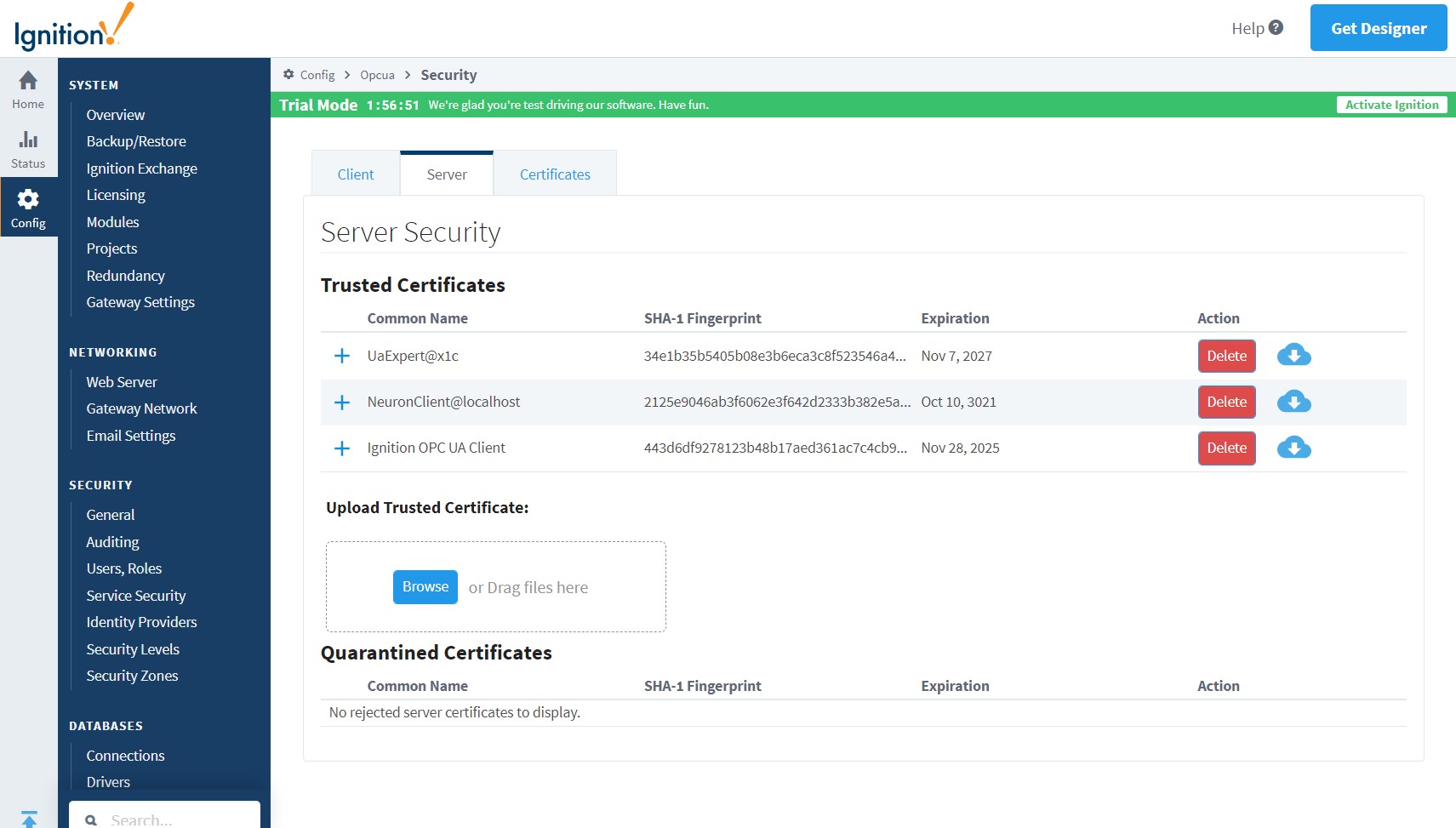
- 打开 Ignition 的管理界面 Config -> OPC UA -> Security -> Server,将 Quarantined Certificates 列表中的 NeuronClient 证书设置为信任。
连接 OPC UA Server(证书/密钥 + 用户名/密码登录)
参考连接策略生成或转换证书/密钥。
打开 Ignition 的管理界面 Config -> OPC UA -> Security -> Server,上传客户端证书并设置为信任。
配置 EMQX Neuron
通过 UaExpert 软件查看 Ignition 测点信息, 参考 配置 UaExpert。
EMQX Neuron 新增南向 OPC UA 设备,打开 设备配置,
端点 URL:填写目标 Ignition 的 URL
opc.tcp://192.168.10.195:62541/discovery用户名:设为
opcuauser(Ignition 默认)密码:设为
password(Igniton 默认)添加证书/密钥,启动设备连接。
更新模式:可以修改为 Subscribe 或 Read&Subscribe,以 OPC UA 订阅方式获取数据。
根据测点信息添加 Groups 和 Tags。
测试点位
| 名称 | 地址 | 属性 | 类型 |
|---|---|---|---|
| BuildDate | 0!2266 | Read | UINT32 |
| BuildNumber | 0!2265 | Read | STRING |
| ManufacturerName | 0!2263 | Read | STRING |
| ProductName | 0!2261 | Read | STRING |
| ProductUri | 0!2262 | Read | STRING |
| SoftwareVersion | 0!2264 | Read | STRING |