LoadBalancerを介したEMQXクラスターへのアクセス
目的
LoadBalancerタイプのServiceを介してEMQXクラスターにアクセスします。
EMQXクラスターの設定
EMQX CRD apps.emqx.io/v2 は以下をサポートしています:
.spec.dashboardServiceTemplateを通じたEMQXダッシュボードServiceの設定.spec.listenersServiceTemplateを通じたEMQXクラスターリスナーServiceの設定
詳細は該当ドキュメントを参照してください。
以下の内容をYAMLファイルとして保存し、
kubectl applyでデプロイします。yamlapiVersion: apps.emqx.io/v2 kind: EMQX metadata: name: emqx spec: image: emqx/emqx:6.2.3 config: data: | license { key = "..." } listenersServiceTemplate: spec: type: LoadBalancer dashboardServiceTemplate: spec: type: LoadBalancerTIP
デフォルトでEMQXはポート1883でMQTT TCPリスナー
tcp-defaultと、ポート18083でダッシュボードHTTPリスナーを起動します。ユーザーは
.spec.config.dataを通じて新規または既存のリスナーを設定するか、EMQXダッシュボードから管理できます。EMQXオペレーターはデフォルトのリスナー情報をServiceリソースに自動反映します。ユーザーが設定したServiceとEMQXが設定したリスナーで名前やポートが重複する場合、EMQXオペレーターはユーザー設定を優先します。
EMQXクラスターが準備完了になるまで待ちます。
kubectl getでEMQXクラスターの状態を確認し、STATUSがReadyになっていることを確認してください。完了までに時間がかかる場合があります。bash$ kubectl get emqx emqx NAME STATUS AGE emqx Ready 10m
EMQXダッシュボードから新規リスナーを追加する
新しいリスナーを追加します。
EMQXダッシュボードを開き、Management -> Listeners に移動します。
Add Listener をクリックし、名前を
test、ポートを1884に設定して新しいリスナーを追加します。以下の図を参照してください: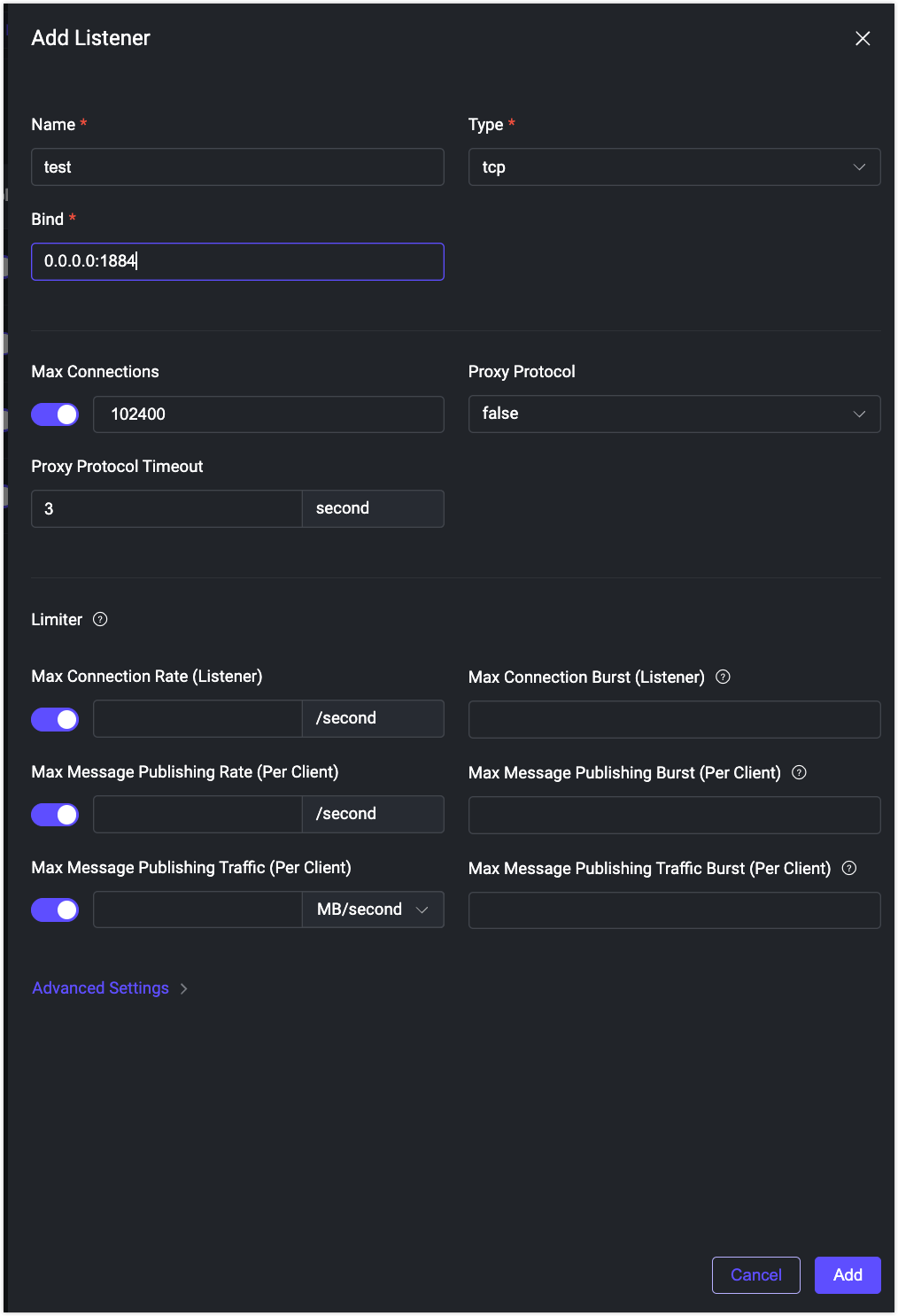
Add をクリックしてリスナーを作成します。以下の図のように新しいリスナーが作成されます。
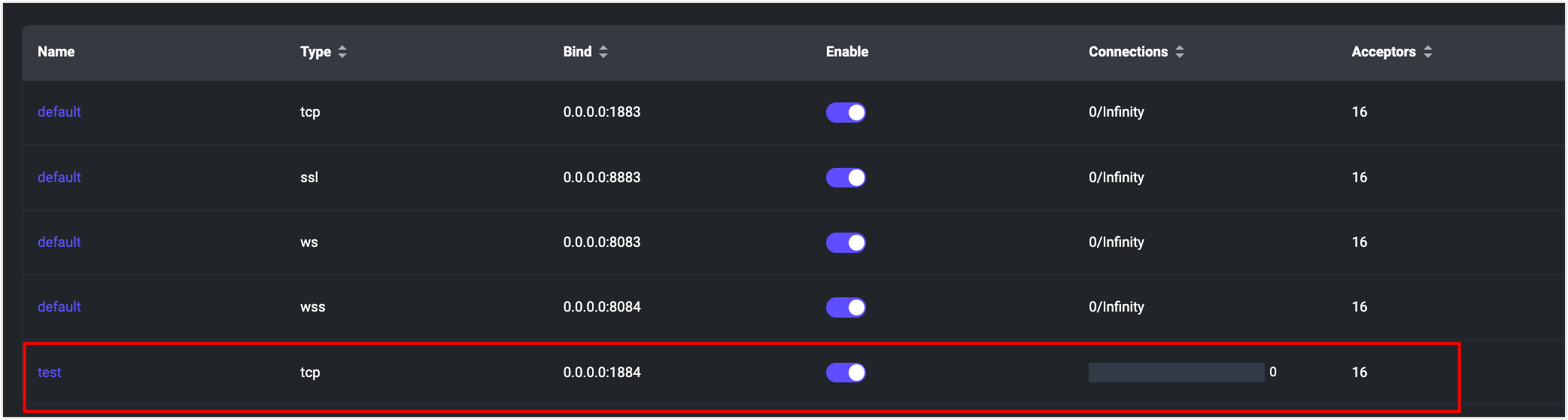
新しいリスナーがServiceに反映されているか確認します。
bashkubectl get svc NAME TYPE CLUSTER-IP EXTERNAL-IP PORT(S) AGE emqx-dashboard NodePort 10.105.110.235 <none> 18083:32012/TCP 13m emqx-listeners NodePort 10.106.1.58 <none> 1883:32010/TCP,1884:30763/TCP 12mこの出力は、ポート1884の新しいリスナーが
emqx-listenersServiceリソースに反映されていることを示しています。
MQTTXを使って新しいリスナーに接続する
EMQXリスナーServiceの外部IPを取得します。
bashexternal_ip=$(kubectl get svc emqx-listeners -o json | jq -r '.status.loadBalancer.ingress[0].ip')MQTTX CLIを使って新しいリスナーに接続します。
bash$ mqttx conn -h ${external_ip} -p 1884 [4/17/2023] [5:17:31 PM] › … Connecting... [4/17/2023] [5:17:31 PM] › ✔ Connected