Configure Siemens S7-1200/1500
When interfacing with Siemens S7 1200/1500 PLC using the Siemens S7 ISOTCP driver, certain modifications are required in the Siemens software (TIA16) settings:
- The optimized block access must be turned off.
- The access level must be full and the connection mechanism must allow GET/PUT.
This section uses TIA Portal V16 to demonstrate the setting.
Connection to PLC
First, the connection device settings should be made, as shown in the image below. 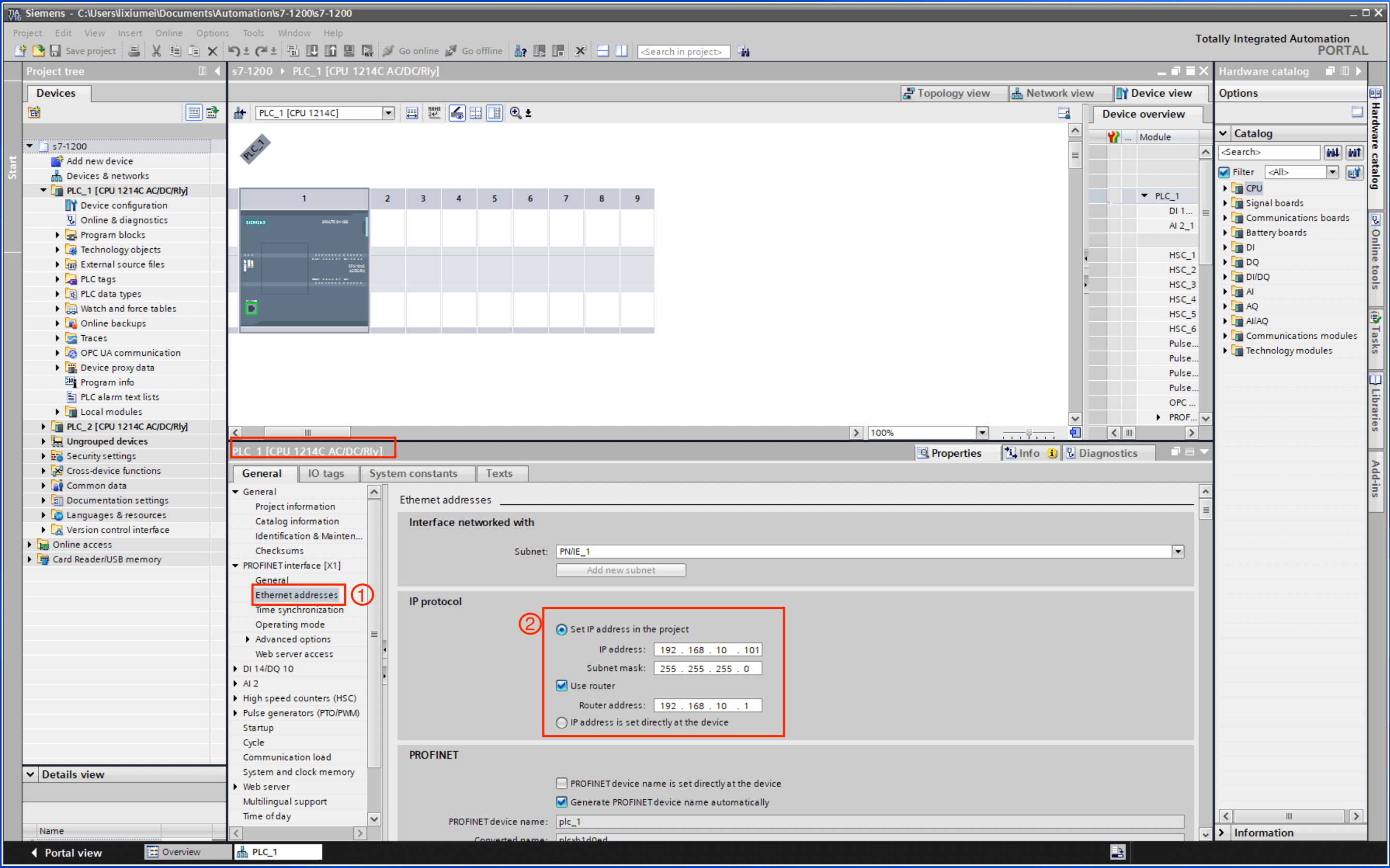
- Under the device name, double-click Device configuration, and select Ethernet addresses in the interface directory.
- Fill in the IP address of the network connected to the PLC correspondingly to complete the connection setting.
Check Slot and Rack
Under the condition that the software is correctly connected to the device, on the Device configuration page, select General -> Project information to view the rack number and slot number, as shown in the image below. 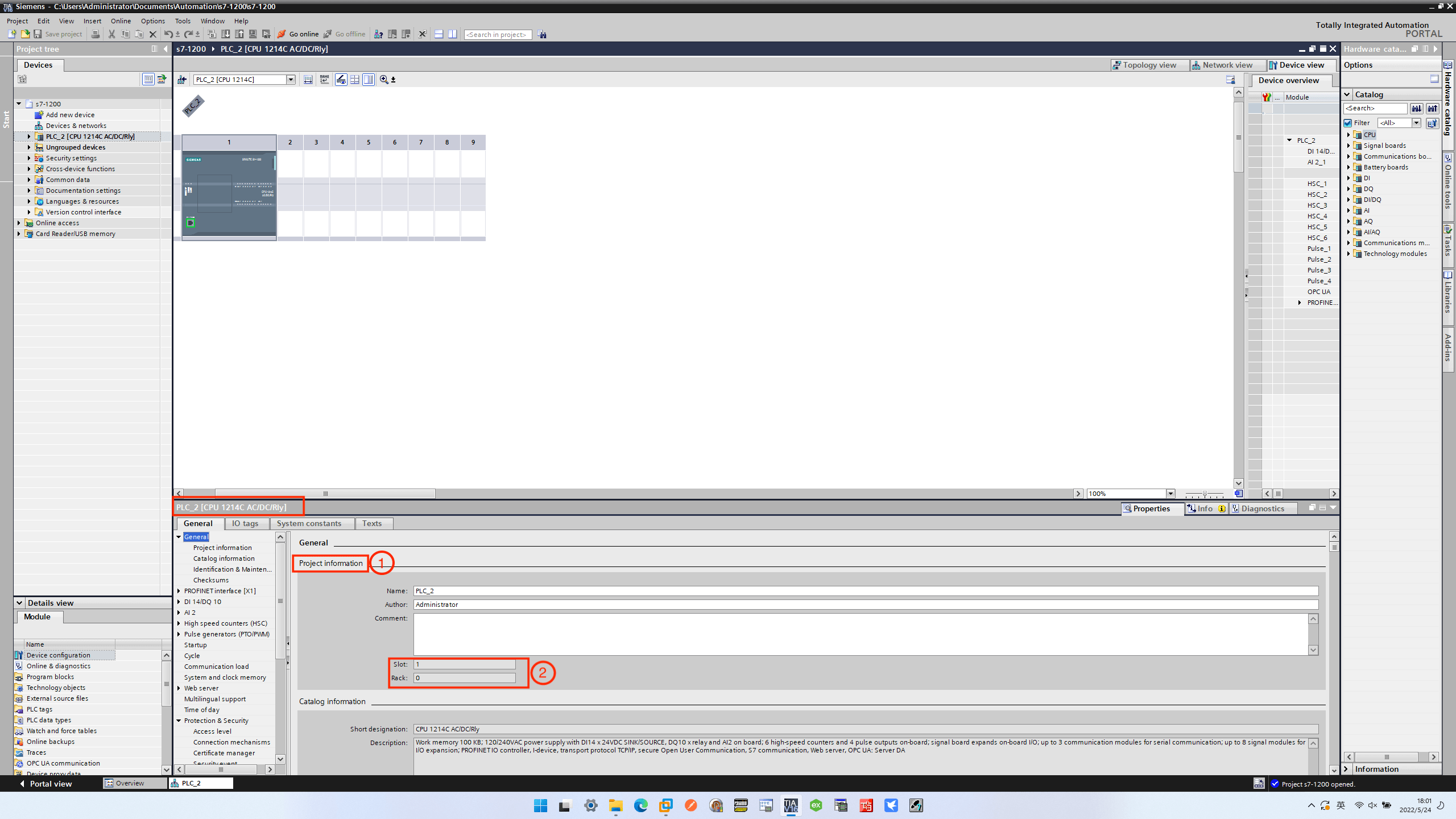
Configure the PLC
The following settings are also required when accessing an S7 1200/1500 PLC.
Close Access to Optimization Block
Right-click the DB block that you want to use, and select Properties in the pop-up dialog box, as shown in the image below. 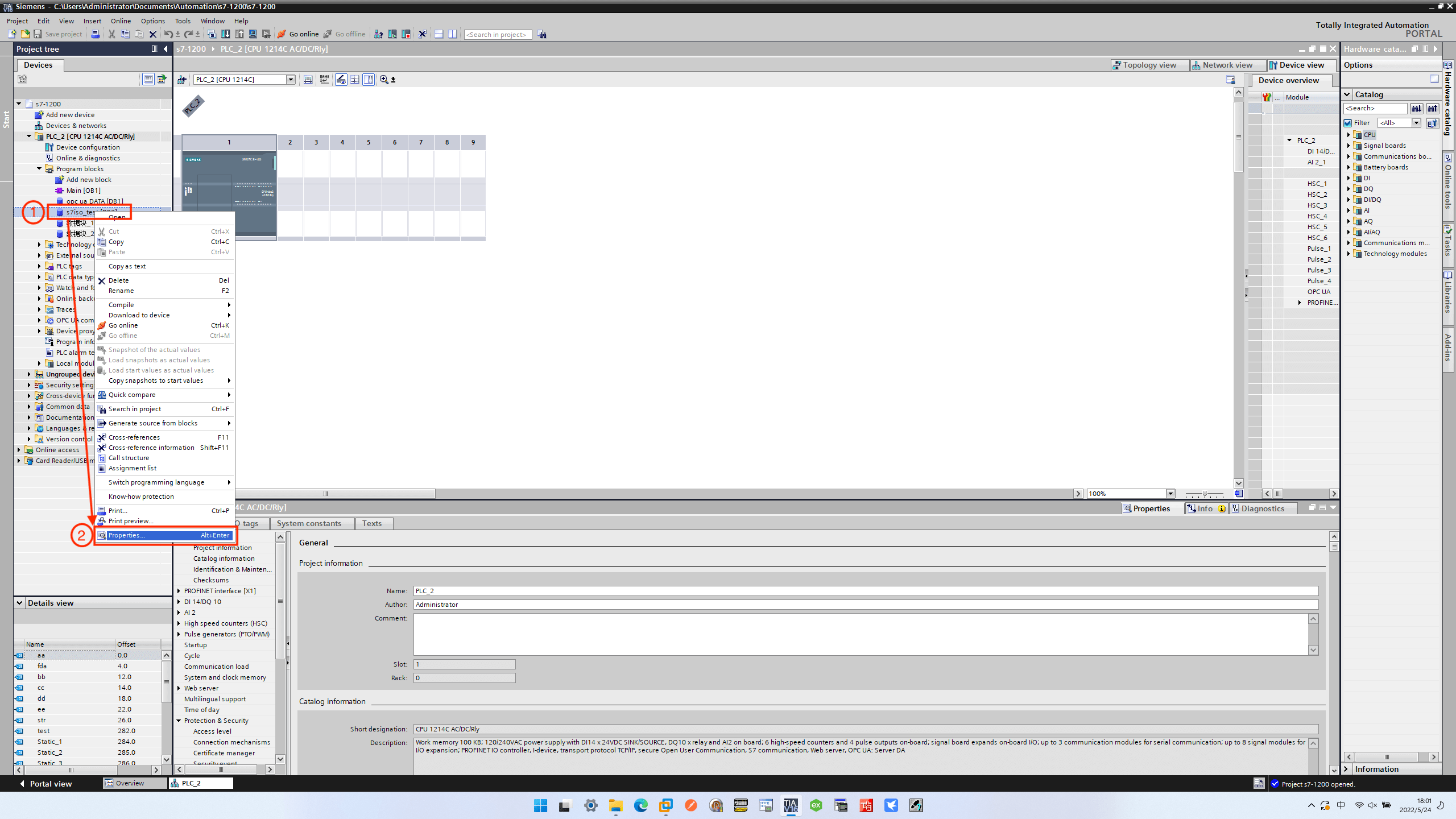
In the dialog box that pops up, uncheck Optimized block access, as shown in the image below. 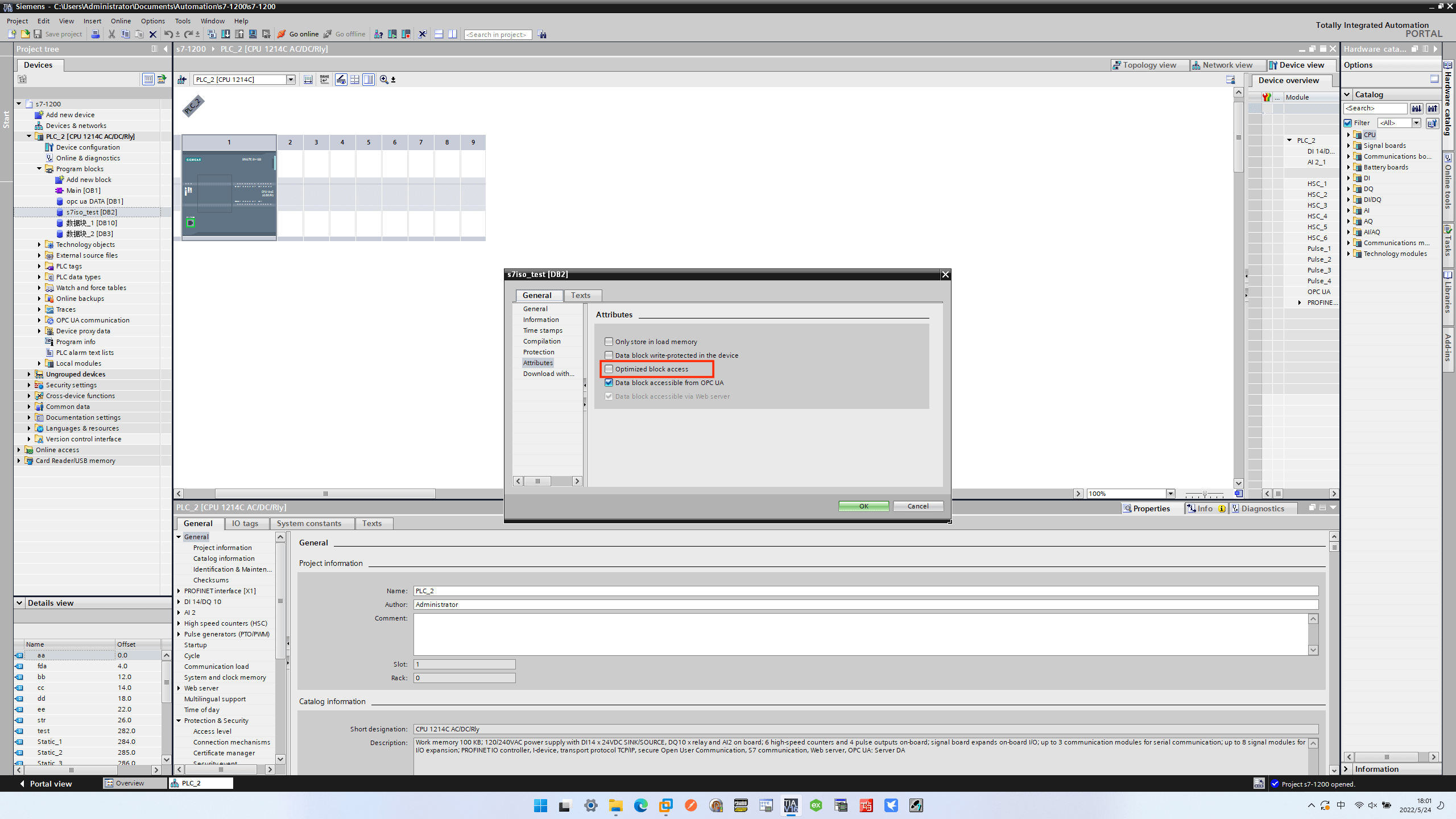
Configure PLC Security Settings
Right-click the device name, and select Properties in the pop-up dialog box, as shown in the image below. 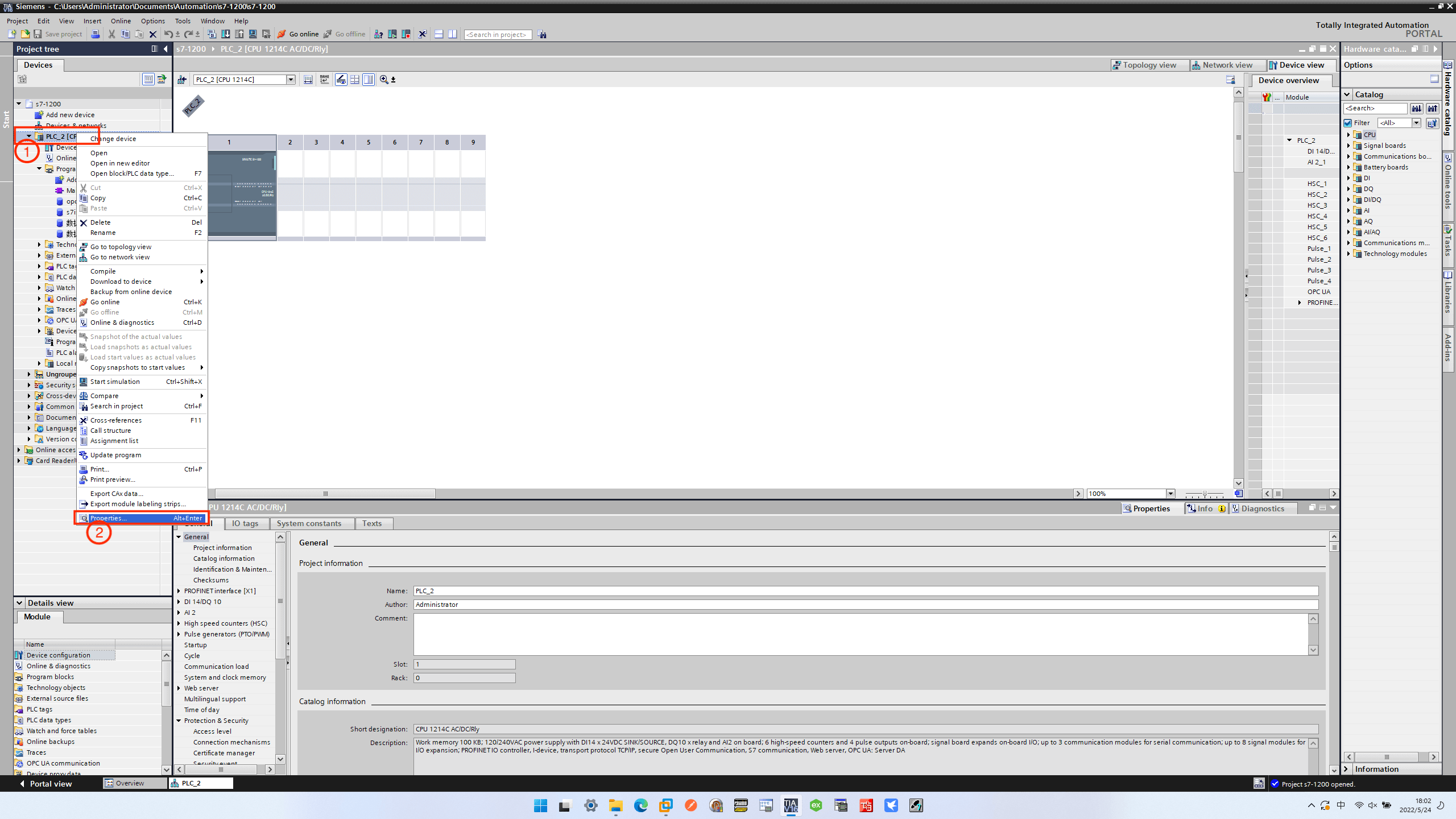
First, set the Access level, and set the read and write permissions according to your needs, as shown in the image below. 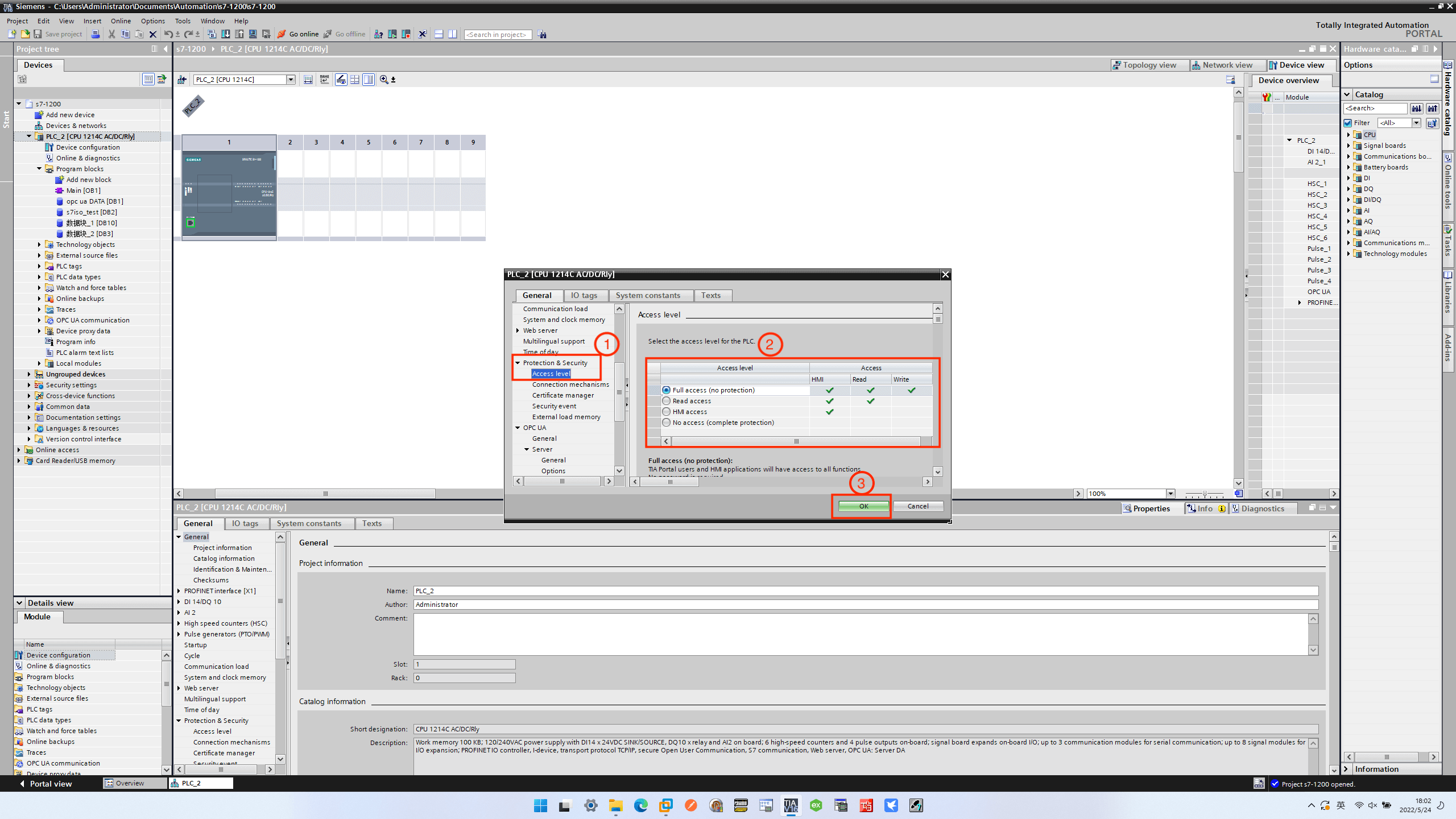
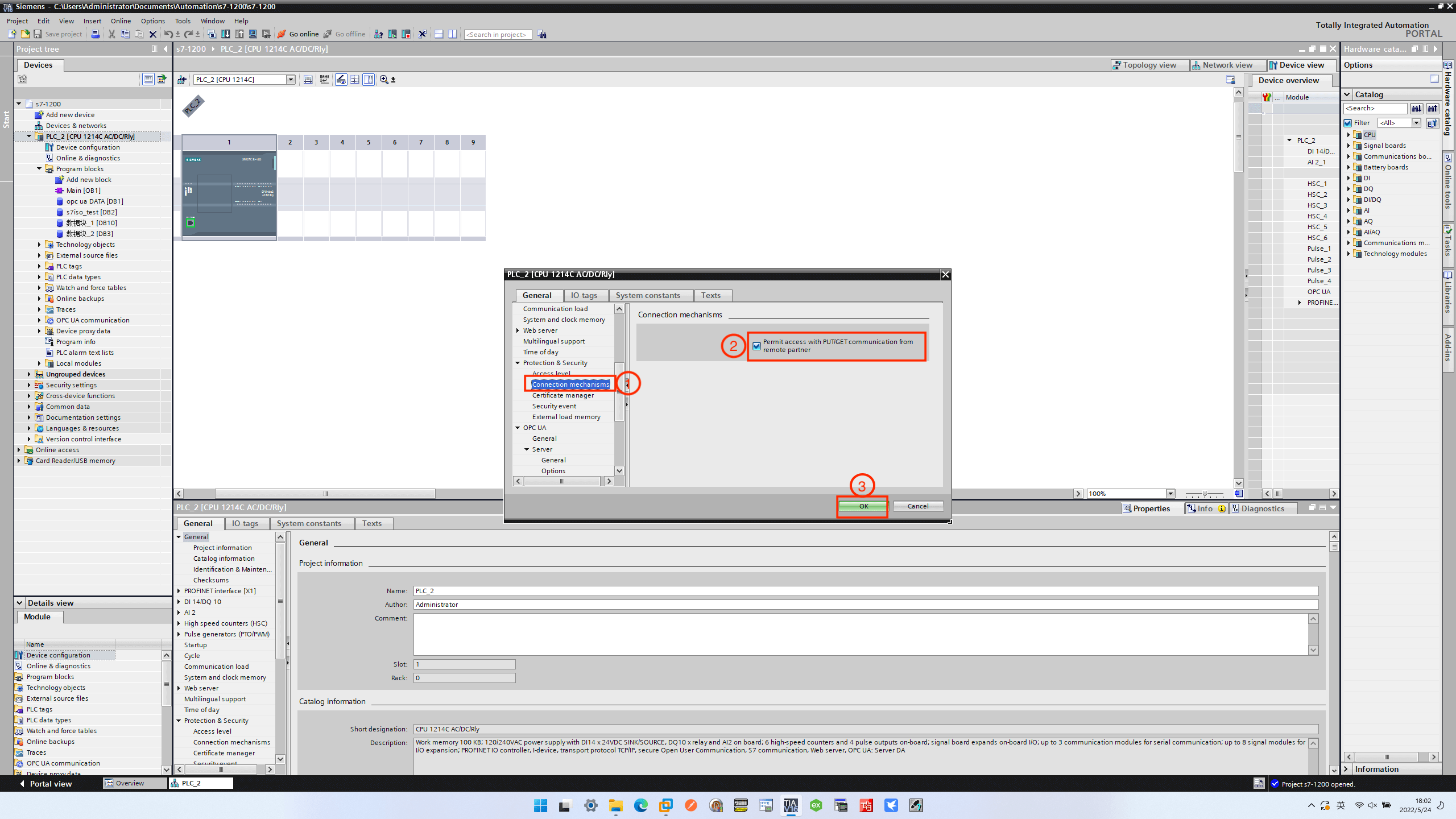
Then set Connection mechanism, check Permit access with PUT/GET communication from remote partner, as shown in the image below.