Your First Rule
This page picks up where the Quick Start left off. There, device data was collected and forwarded to MQTT unchanged. This page adds one edge-processing step: increment the collected value by 1 and publish it to a dynamic topic.
It assumes the modbus-tcp southbound driver and the group-1 collection group from the Quick Start are already configured.
Step 1 · Feed data into the rules engine
The rules engine receives southbound data as a northbound application, so the first thing to do is subscribe it to a group.
On Data Collection → North Apps, find the Rules Engine Application that exists by default, click View Subscriptions → Add Subscription, and select group-1 under modbus-tcp.
Once subscribed, collected tags flow into the engine's neuronStream stream, where SQL can read them.
Step 2 · Create a rule
On Data Processing → Rules, click Create Rule and write a SQL statement that adds 1 to pressure:
SELECT pressure + 1 AS pressure FROM neuronStream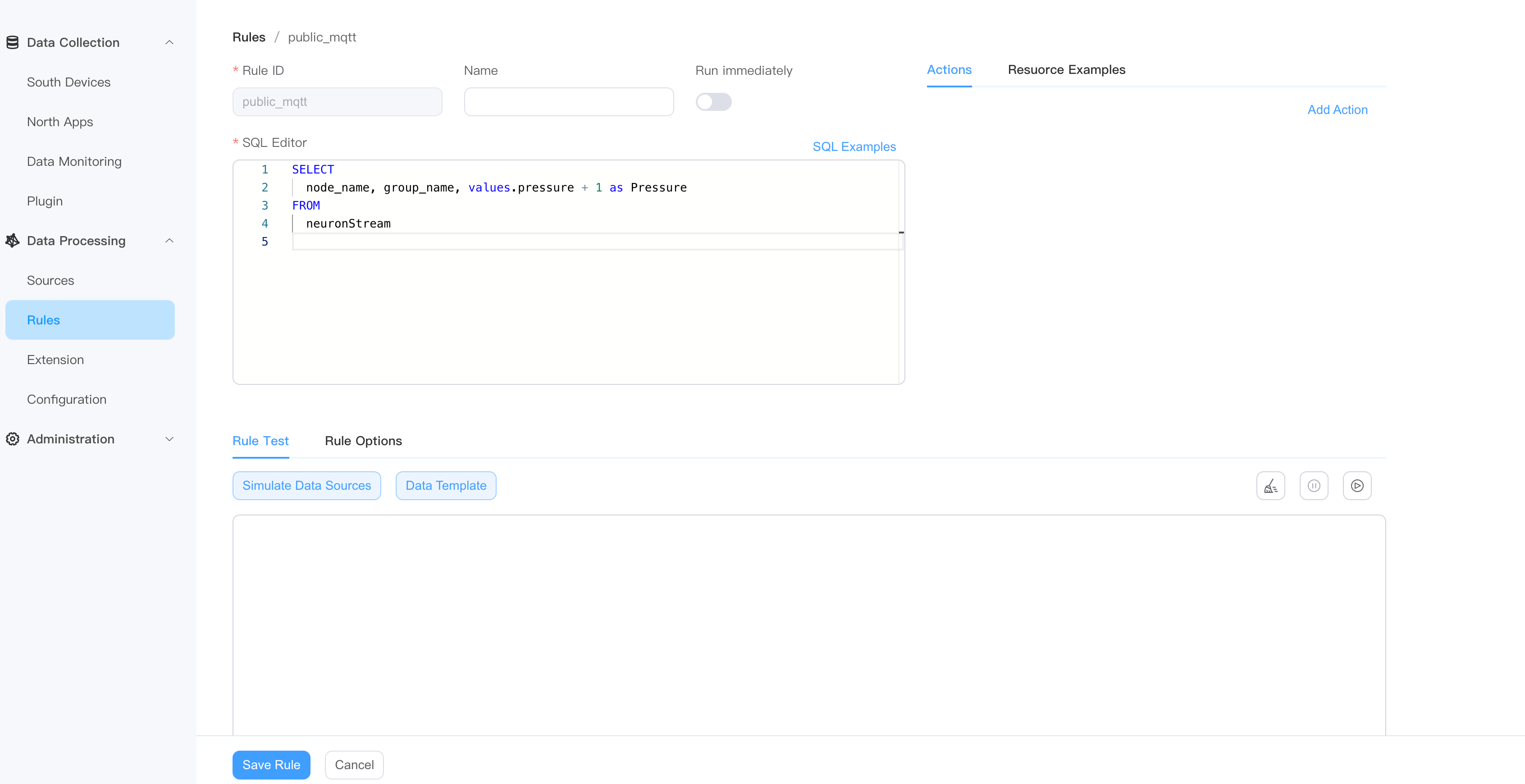
Step 3 · Add an action
In the Actions area, click Add and choose MQTT:
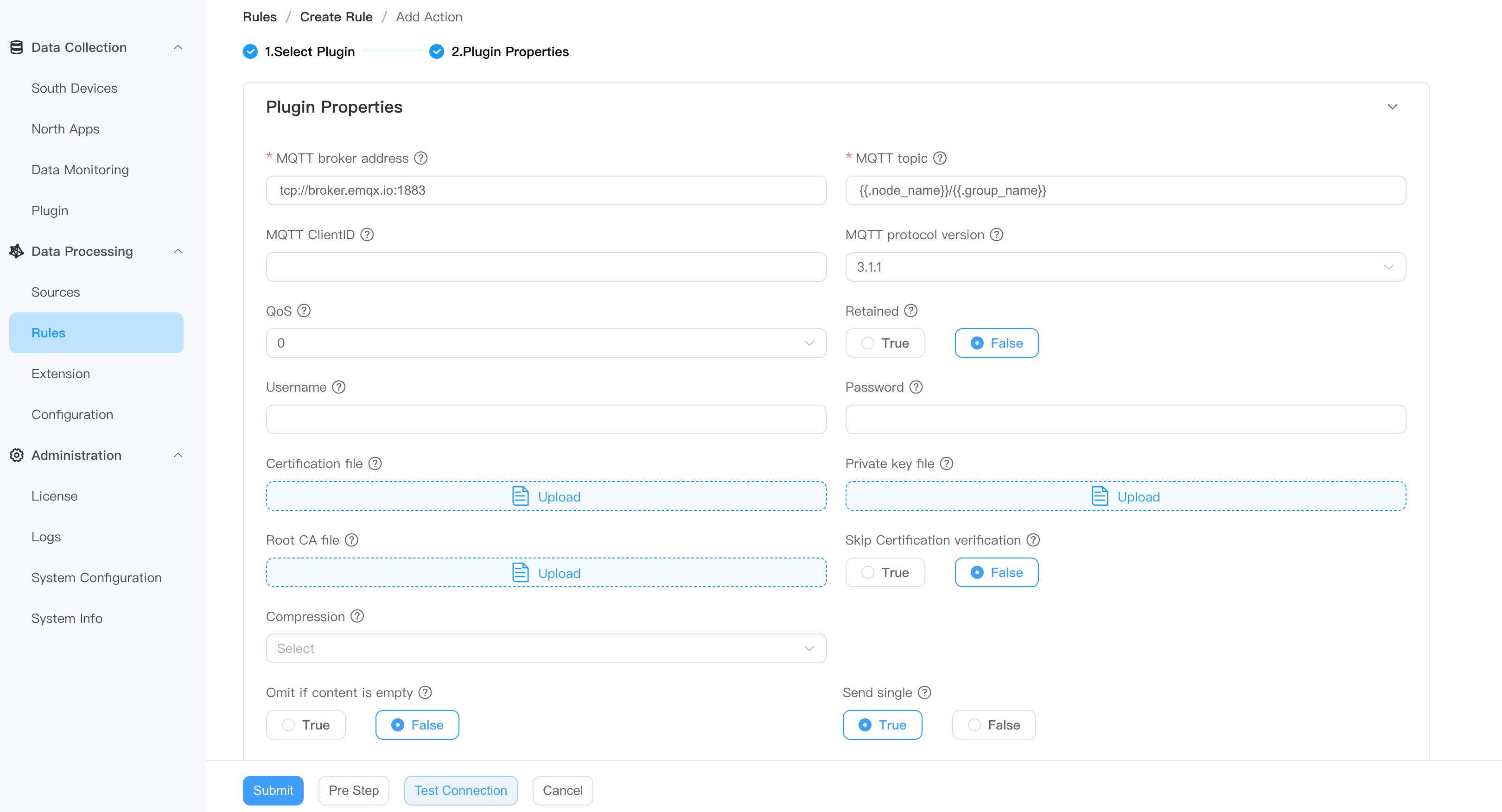
| Field | Value |
|---|---|
| MQTT broker address | broker.emqx.io |
| Port | 1883 |
| MQTT topic | Use the dynamic topic {{.node_name}}/{{.group_name}} so results are split by source |
Submit, and the rule starts running.
Step 4 · Check the result
In this example the data comes from the group-1 group on the modbus-tcp node, so the dynamic topic resolves to modbus-tcp/group-1. Subscribe to it in MQTTX:
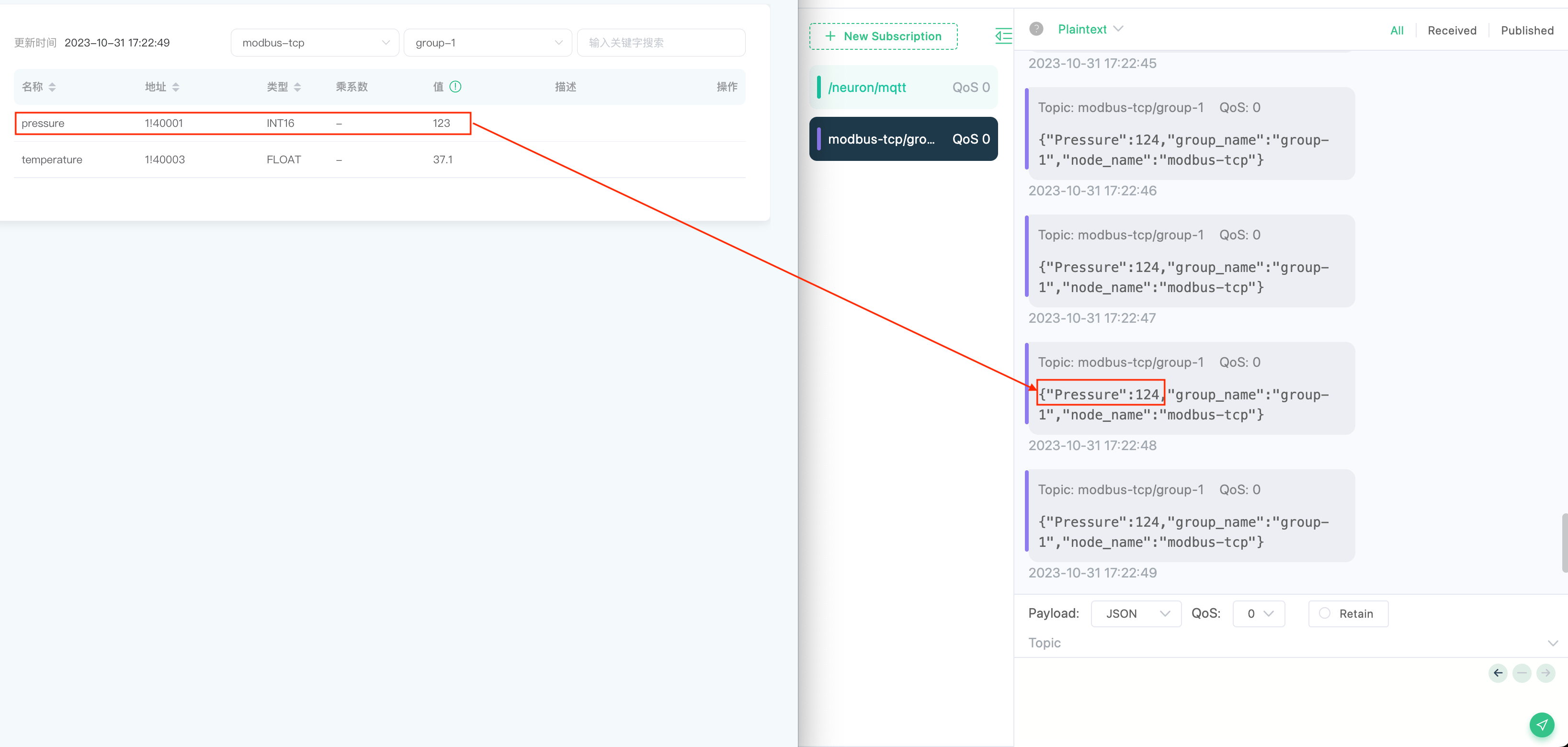
The pressure value you receive should be 1 higher than the raw value shown on the Data Monitoring page — proof that the rule is applied.
Where to go next
This rule does a single addition. The engine can do considerably more:
- Sources — besides device data, it can ingest MQTT, HTTP, SQL databases, files, and video streams. See Source.
- SQL — 160+ functions for filtering, type conversion, aggregation, and time windows. See SQL Reference.
- Destinations — write to MySQL, InfluxDB, Redis, Kafka, AWS S3, and more. See Sink.
- Custom logic — what SQL cannot express, extend with Python. See Extensions.