NATS Gateway
EMQX Cloud supports a NATS Gateway based on the NATS Protocol, enabling NATS clients to connect and exchange messages with MQTT clients.
This page describes how to configure and use the NATS Gateway in EMQX Cloud.
Feature Overview
The NATS Gateway currently supports the following capabilities:
Protocol Support
- Full NATS protocol support, covering the following message types:
- Connection and session management:
INFO,CONNECT - Message publishing and subscribing:
PUB,HPUB,SUB,UNSUB - Message delivery and response:
MSG,HMSG - Heartbeat and status:
PING,PONG,+OK,-ERR
- Connection and session management:
- Verbose mode: Clients can enable acknowledgment responses via
CONNECT verbose=true.
MQTT Interoperability
- Bidirectional message exchange with MQTT:
- Messages published by NATS clients are mapped to MQTT publishes.
- MQTT messages are forwarded to NATS clients subscribed to the corresponding topics.
- NATS wildcard subscriptions are supported and automatically converted to the equivalent MQTT topic format.
- Queue Group shared subscriptions: Queue Group subscriptions from NATS clients are converted to MQTT shared subscriptions.
- Request/Reply pattern, including:
- Request messages from NATS clients are converted to MQTT request messages.
- If no subscriber exists for the target topic, the gateway can immediately return a failure response.
Transport and Connectivity
- Multiple listener types: TCP, TLS, WebSocket (WS), and WebSocket over TLS (WSS).
Cross-Protocol Messaging Between NATS and MQTT
The NATS protocol is fully compatible with the publish-subscribe messaging pattern and interoperates with MQTT publish-subscribe. The conversion rules for the NATS Gateway are as follows:
- PUB and HPUB packets are treated as message publishes.
- The topic is taken from the
subjectfield of the PUB packet. For example, subjectt.ais converted to MQTT topict/afor publishing. - The message body is the payload of the PUB packet.
- When the client sets
verbose=1in the CONNECT packet, the converted message uses QoS 1; otherwise QoS 0.
- The topic is taken from the
- SUB packets are treated as subscription requests.
- The topic is taken from the
subjectfield of the SUB packet. For example, subjectt.ais converted to MQTT topict/afor subscribing. - When the client sets
verbose=1in the CONNECT packet, the converted subscription uses QoS 1; otherwise QoS 0. - Wildcards are supported. For example,
*.b.>is converted to+/b/#. - Queue Group subscriptions are converted to MQTT shared subscription group names.
- The topic is taken from the
- UNSUB packets are treated as unsubscribe requests. The topic is identified by the subscription ID in the UNSUB packet.
The gateway does not have its own publish-subscribe access control. Topic-level permission control must be managed through Authorization.
Current Limitations
The following limitations currently apply:
- Upgrading from TCP to TLS within the same connection is not supported, so clients cannot connect with
tls_handshake_first=false. - When no authenticator is configured, NATS clients that do not send a CONNECT packet are allowed to publish and subscribe, but managing anonymous clients is not currently supported.
Basic Settings
Click the Settings button in the Actions column of the NATS Gateway to configure its basic settings:
Server Name: A unique identifier for the gateway instance, used for reference. Default:
emq_nats_gateway.Mountpoint: A string prefix added to all topics published and subscribed through the gateway, providing message routing isolation between protocols — for example,
nats/. This prefix is managed by the gateway; clients do not need to include it explicitly when publishing or subscribing.Default Heartbeat Interval: The interval at which the server proactively sends
PINGmessages to detect whether clients are still online. Default:60seconds.Heartbeat Timeout Threshold: If a client does not respond to a heartbeat within this period, it is considered disconnected. Default:
5seconds.Maximum Payload Size: The maximum payload size in bytes for a single PUB or HPUB message. Default:
1048576bytes.Idle Timeout: The duration after which a connected client with no activity is considered disconnected, in seconds. Default:
30seconds.Enable Statistics: Whether to allow the gateway to collect and report statistics. Enabled by default.
Client Info Override: Override policy for client connection information, supporting extraction of authentication credentials from the CONNECT packet:
TIP
When an authenticator is enabled, explicitly configure the
usernameandpasswordmapping fields to ensure credentials are passed correctly.- Username: Maps to the
userfield in the CONNECT packet. - Password: Maps to the
passfield in the CONNECT packet. - Client ID: Can be set to
${generated}for automatic generation, or a custom mapping expression.
- Username: Maps to the
After completing the settings, click Update to save the configuration.
Clients
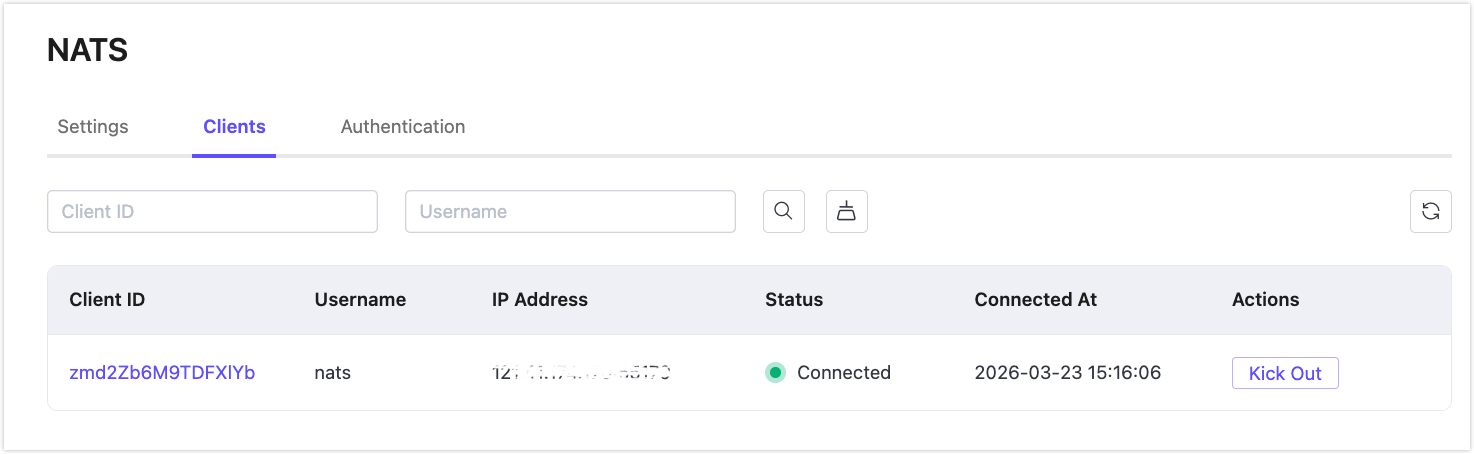
In the Clients tab of the NATS page, you can view the basic information of all clients connected to the deployment. In the Actions column, you can kick out a specific client.
Authentication Management
The NATS protocol supports multiple authentication methods, including username/password and token-based authentication. The NATS Gateway supports the following authenticator types:
- Password-Based Authentication
- HTTP Authentication
- MySQL Authentication
- PostgreSQL Authentication
- Redis Authentication
- JWT Authentication
Unlike the MQTT protocol, the gateway supports only a single authenticator rather than an authenticator chain. When no authenticator is configured, all NATS clients are permitted to connect.
The NATS Gateway derives client authentication information from the CONNECT packet. By default:
- Client ID: A randomly generated string.
- Username: The value of the
userfield in the CONNECT packet. - Password: The value of the
passfield in the CONNECT packet.
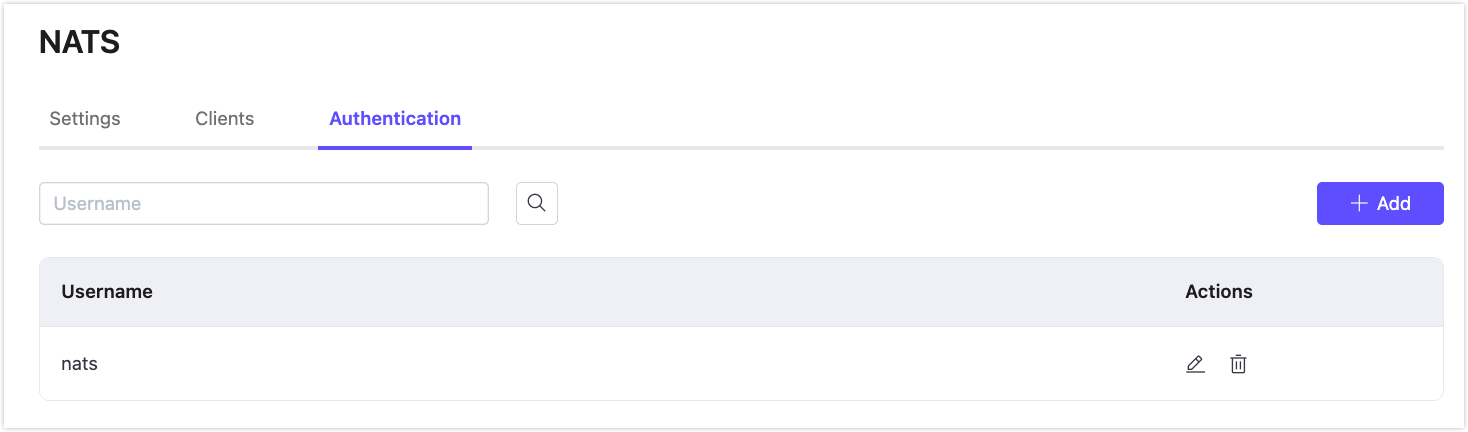
On the gateway page, click the Authentication button in the Actions column of the NATS Gateway to open the authentication management page, where you can add, edit, or delete authentication entries.