Ports Management
Ports Management lets you view and control the network ports exposed by an EMQX Tables Starter deployment. You can disable unused ports to reduce unnecessary network exposure.
Prerequisite
You must have an active EMQX Tables Starter deployment and permission to manage it.
Note
For EMQX Tables Pro deployments, use the ports shown in Connection Info.
View Port Status
- In your EMQX Cloud Console, go to the target EMQX Tables deployment from the Overview page or from your project.
- On the Deployment Overview page, find the Ports Management button in the Connection Info section.
- Click Ports Management to open the dialog.
The dialog displays the protocol, port, and port status. EMQX Tables Starter deployments commonly provide the following ports:
| Protocol | Port | Description |
|---|---|---|
| gRPCS | 5001 | TLS-secured gRPC endpoint for EMQX Tables access. |
| PostgreSQL | 4003 | PostgreSQL-compatible endpoint. |
| MySQL | 4002 | MySQL-compatible endpoint. |
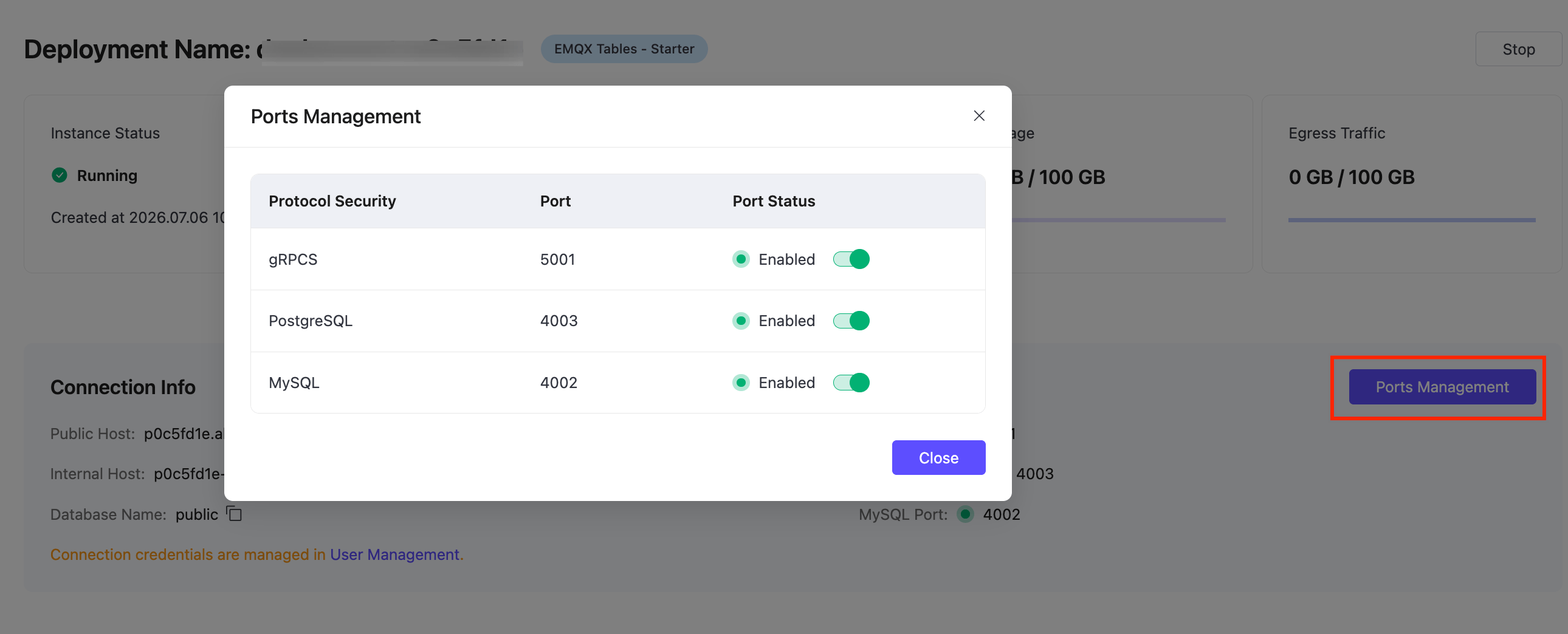
Disable a Port
To disable a port, find the corresponding protocol in the Ports Management dialog and toggle the switch.
After a port is disabled:
- New clients cannot connect to the EMQX Tables deployment through that protocol and port.
- Existing connections through the disabled port will be dropped; clients must reconnect through an enabled port.
Re-enable a Port
To re-enable a port, open Ports Management and toggle the switch for the corresponding protocol.
Once re-enabled, clients can reconnect through that port.
Best Practices
- Before disabling a port, verify that no applications, integrations, or external tools are still using it.
- Keep only the ports required by your applications or integrations enabled.