Session Limit Reached Alert
The Session Limit Reached alert indicates that the current number of EMQX client connections has exceeded the threshold for the deployment tier.
This condition means that the deployment is approaching its expected connection capacity and may affect new connections or overall performance. Common causes include rapid connection growth, connections that are not released promptly, and multiple client sessions from the same device.
Rapid Growth in Client Connections
Symptom
EMQX receives many new connections within a short period. On the deployment Monitor page, the connection count rises sharply and corresponds to a business traffic peak.
Common Causes
Many clients come online at once after a batch rollout, system restart, or device power-on event, or the business peak exceeds the planned connection capacity.
Resolution
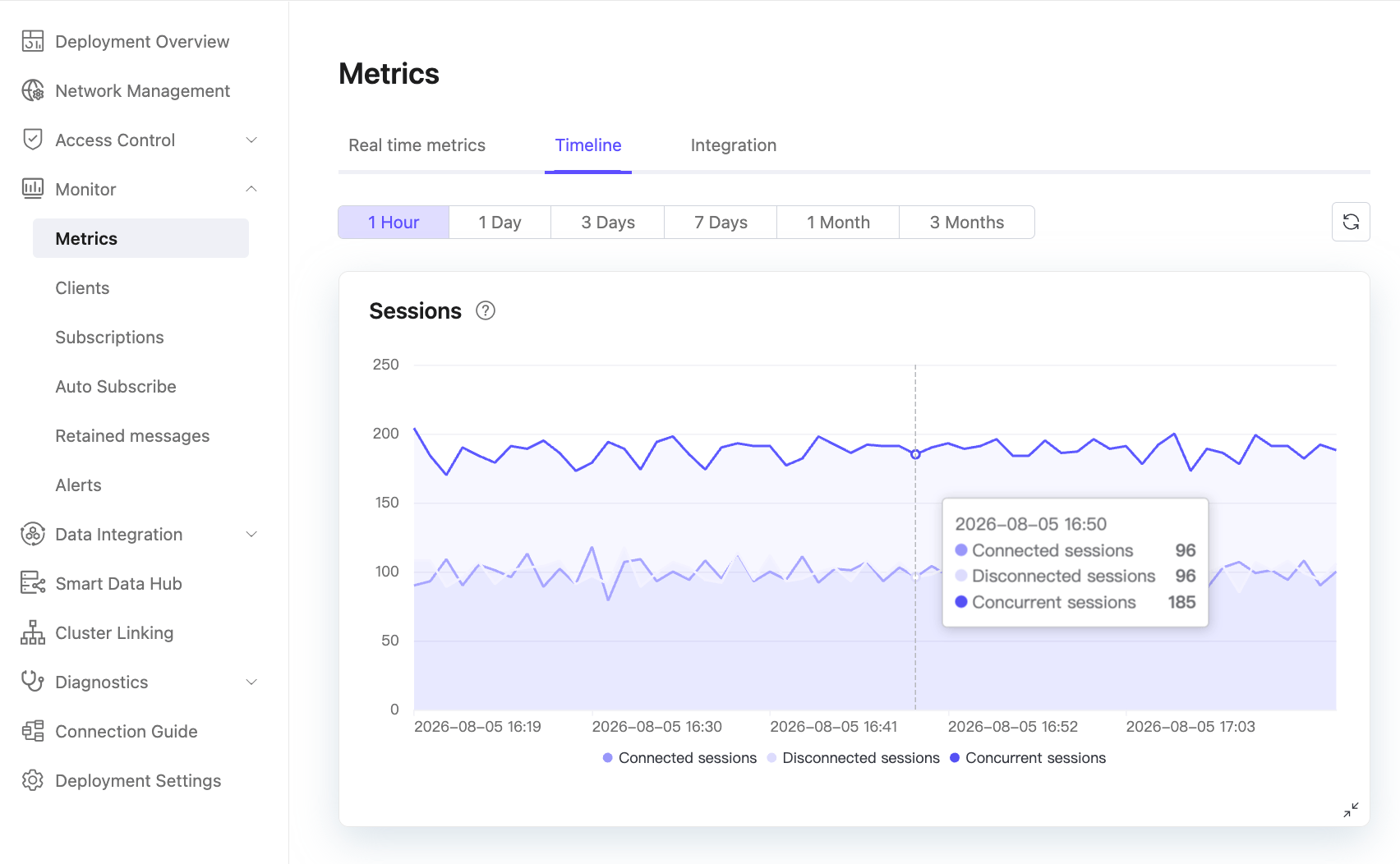
Go to Monitor -> Metrics -> Timeline -> Connections to view the connection trend. Estimate peak connection demand in advance and scale the deployment before traffic reaches that peak.
Connections Not Released Promptly
Symptom
The connection count remains higher than expected, while the number of disconnected connections is abnormal.
Common Causes
Some clients terminate abnormally without closing their connections, or long keepalive settings leave inactive connections in the system. These connections continue to consume capacity.
Resolution
- Reduce the keepalive interval so that abnormal connections are detected and removed sooner.
- Regularly disconnect idle clients that have no traffic for an extended period.
Multiple Client Sessions from One Device
Symptom
The connection count rises unexpectedly, and the number of client sessions is much higher than the number of online devices.
Common Cause
A client uses Clean Session = False while its SDK generates a random Client ID. Frequent reconnections can then create hundreds or thousands of offline sessions for one device, consuming connection resources and indirectly increasing the connection count.
Resolution
Do not combine a random Client ID with Clean Session = False, because each reconnection can create another session.
Troubleshooting
Log in to the EMQX Cloud Console and go to Monitor -> Metrics for the deployment.
The alert is triggered if the maximum connection count in the past 30 minutes exceeds the deployment's maximum connection limit.
If the maximum connection count in the past 30 minutes reaches 110% of the deployment's maximum connection limit, new client connections are rejected. Open Deployment Logs, set Error Type to Clients, and look for an entry similar to the following:
textpeername: xx.xxx.xxx.xx:64599, pid: <xxxxx>, tag: LICENSE, msg: connection_rejected_due_to_license_limit_reached
Note
EMQX applies a 10% enforcement buffer to account for inaccuracies caused by delays in connection-count statistics. This buffer is used only for connection-limit enforcement and does not grant additional connection capacity for the deployment.
Go to Monitor -> Clients and filter for disconnected clients. If several clients have the same IP address but different Client IDs and use
Clean Session = False, one device is likely creating multiple sessions.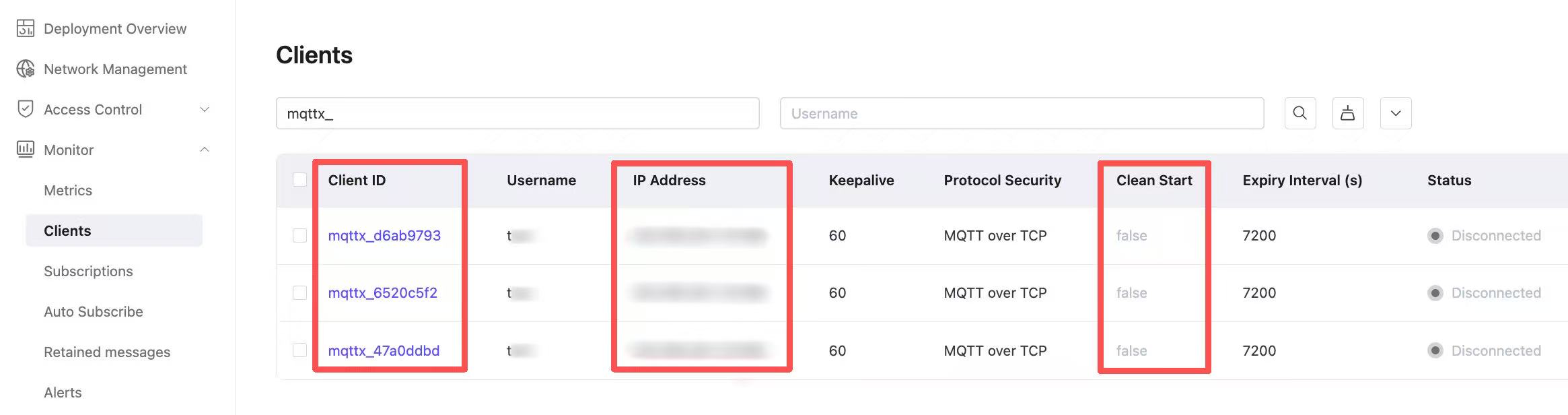
Increase the Maximum Connection Limit
This section describes the behavior and impact of increasing the deployment connection limit. It is not a direct troubleshooting step for this alert.
To increase the maximum connection limit, submit a ticket to EMQX Cloud for automatic scaling. After the operations team prepares the environment, scaling usually takes 15 to 25 minutes.
The service remains available during scaling, but devices may reconnect two or three times after brief, seconds-long disconnections. If clients implement automatic reconnection, the operation usually has no noticeable business impact.