Mass Client Disconnection Alert
The Mass Client Disconnection alert indicates that many clients disconnected from a deployment within a short period. It is triggered only when there were at least 100 connections 30 minutes earlier and the percentage of disconnected clients exceeds the configured threshold.
This condition usually indicates that many clients lost their EMQX connections at about the same time. Common causes include network instability, a regional network failure, and clients without a reliable automatic reconnection mechanism.
Network Instability and Failed Automatic Reconnection
Symptom
Network instability, regional carrier failures, or network maintenance interrupts many client connections within a short period. If the clients do not reconnect automatically, the connection count continues to fall and triggers the alert.
On the deployment Monitor page, the connection count drops sharply within a short period, and affected clients are concentrated in a specific region or carrier network.
Common Causes
- Network instability or a regional network failure.
- Clients do not implement automatic reconnection correctly.
Resolution
- Make sure clients reconnect automatically, preferably with exponential backoff.
- Ask the network provider whether it is experiencing instability or an outage. Use a backup link or cross-region disaster recovery plan if necessary.
Cluster Change or Node Failure and Failed Reconnection
Symptom
During an EMQX cluster upgrade, scaling operation, or maintenance window, a node switch or restart can disconnect clients connected to the affected node. If those clients do not reconnect promptly, or if the cluster encounters a problem during the operation, many clients may disconnect at once and trigger the alert.
On the deployment Monitor page, the disconnection time closely matches a node restart, scale-out, or scale-in event.
Common Causes
- A node switch occurs during a cluster upgrade, scaling operation, or maintenance window.
- A node failure interrupts connections.
- Automatic client reconnection is missing or fails.
Resolution
- Before planned cluster maintenance or upgrades, review EMQX announcements and prepare client-side recovery procedures.
- Make sure clients reconnect reliably after a node restarts or switches.
- If a cluster change or node failure disconnects many clients, submit an urgent support ticket to EMQX Technical Support.
Troubleshooting
Log in to the EMQX Cloud Console and enter the deployment.
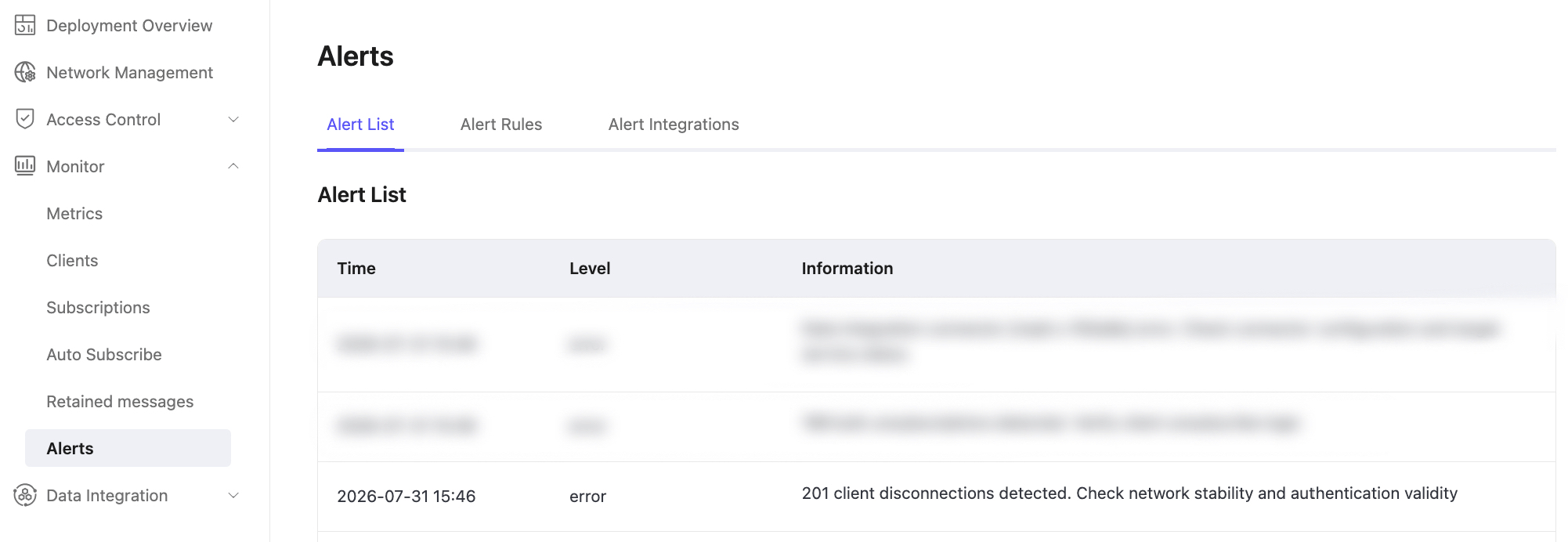
Go to Alerts -> Alert List. Check for a Mass Client Disconnection alert and review its trigger period and scope.
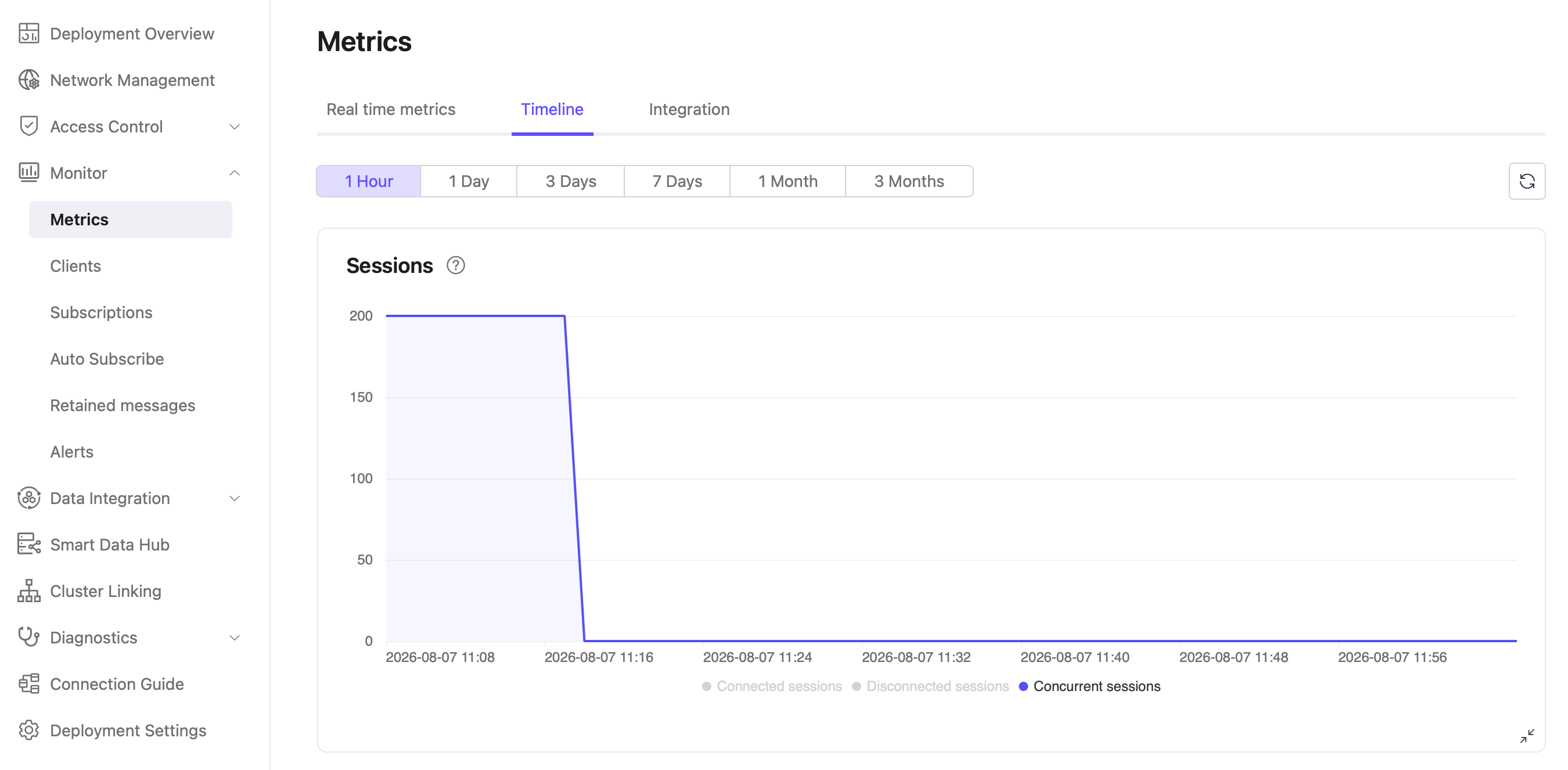
Go to Monitor -> Metrics -> Timeline -> Connections. Verify whether the connection count fell from at least 100 within the past 30 minutes and whether the decline exceeded the configured threshold.
Compare the trigger time with network incidents, regional failures, and cluster node state changes.
Monitoring and Statistics
Go to Metrics -> Timeline -> Connections to monitor the overall client connection trend and determine whether the disconnection rate is recovering.
Track Client Disconnection Events
EMQX Cloud is a message broker and does not retain historical client information, including past disconnection times and reasons.
To track disconnection events over time, create a data integration rule for the
$events/client_disconnectedevent topic and forward or store the events. For example:sqlSELECT * FROM "$events/client_disconnected"You can filter fields such as
clientid,reason, anddisconnected_at. For details, see SQL Data Sources and Fields.