VPC Network Peering Connection with GCP
This document describes how to create a VPC Network Peering connection between EMQX Cloud and Google Cloud Platform (GCP) to enable private network communication between your GCP VPC and the EMQX Cloud deployment.
Create a VPC Network Peering Connection
Log in to EMQX Cloud Console and enter your deployment.
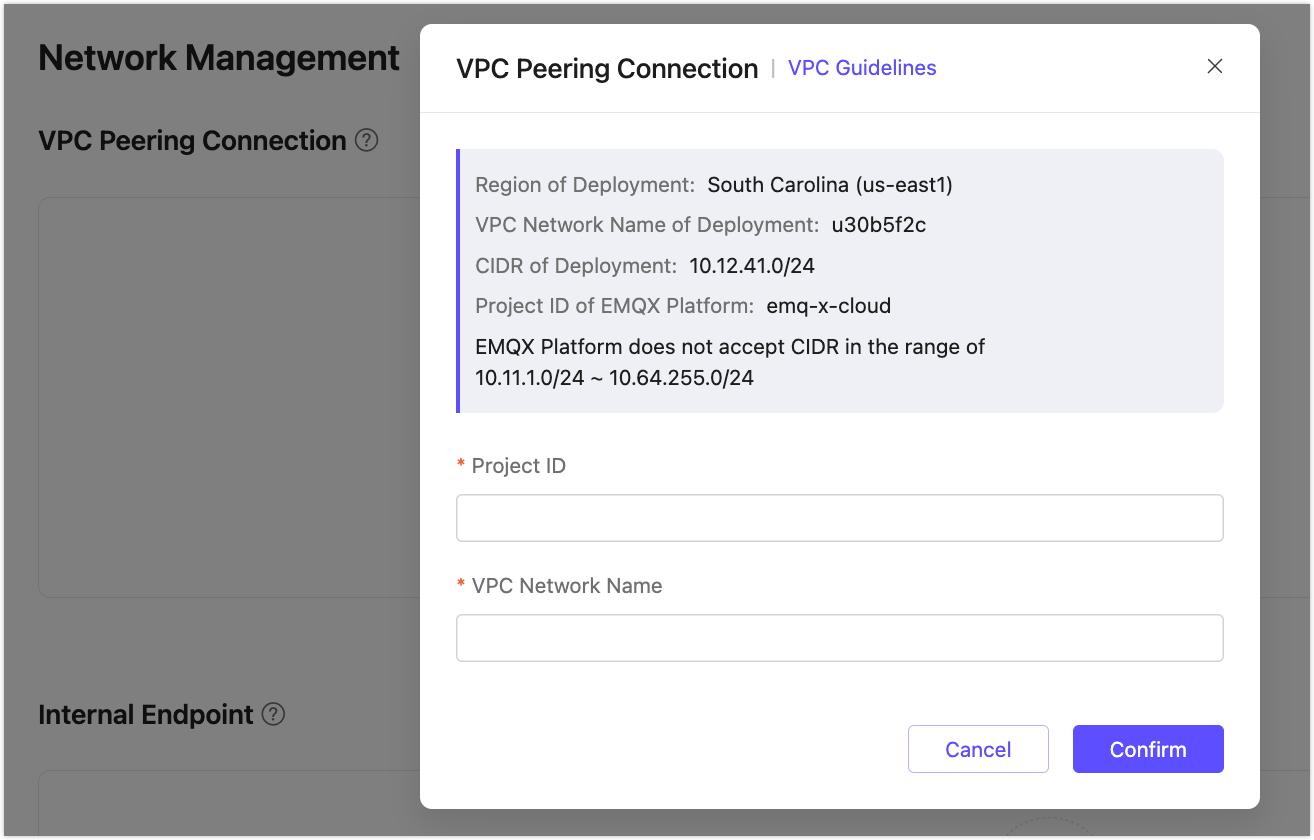
Click Network Management from the left menu. In the VPC Peering Connection area, click the + VPC Peering Connection button.
On the pop-up dialog, enter the following information:
- Project ID: GCP Project ID of your peering VPC
- VPC Network Name: Network Name of your peering VPC
Record the following information for future use:
- VPC Network Name of deployment
- CIDR of deployment
- Project ID of EMQX Cloud
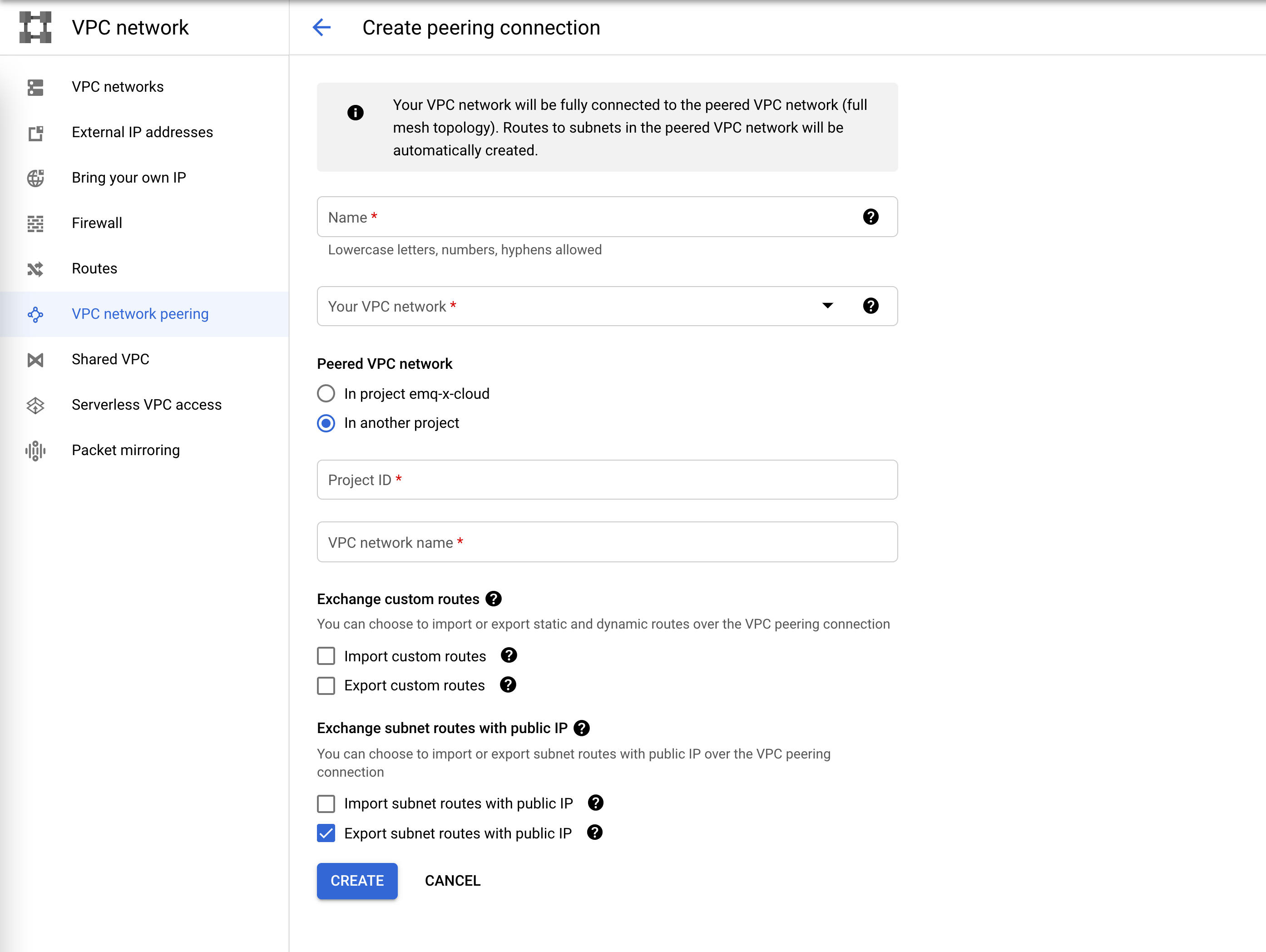
Log in to your GCP console, create the peering connection.
- In the Google Cloud Console, click VPC network peering.
- Click CREATE PEERING CONNECTION, and click Continue
- In Name, enter a name for your peering connection.
- In Your VPC Network, enter the name of your GCP VPC network.
- In Peered VPC network, select In another project.
- In Project ID, enter EMQX Cloud Project ID. You can find this name in the VPC Peering view in EMQX Cloud.
- In VPC network name, enter your EMQX Cloud VPC Network Name. You can find this name in the VPC Peering view in EMQX Cloud.
- Click CREATE.
You will see the status of peering connection is Active if succeeded.
 and you will see the status of VPC Peering on EMQX Cloud is running.
Create a firewall to allow your EMQX Broker deployment to access your GCP network.
- Click Firewall, and Click CREATE FIREWALL RULE.
- In Network, select your GCP network
- In Targets, select All instances in the network, or you can select other options according to your situation.
- In Source IP ranges, fill in the CIDR of the deployment in step 1
- Select your Protocols and ports.
Delete a VPC Peering Connection
To delete a peering connection, you need to ensure that the status of the peering connection is Running.
TIP
Before deleting the peering connection, please make sure that there are no associated resources in the deployment; otherwise, there will be unpredictable risks
Go to the VPC Peering Connection area on the Network Management page in your deployment.
Click the "delete" icon in the Actions column of the peering connection.
