Things
A Thing is an individual device identity registered in EMQX Fleets. Each Thing has a name and an MQTT Client ID, and can optionally be associated with a Thing Type that defines its schema.
Register a Thing
- In your Fleets deployment, go to Device Management > Things.
- Click + Register Thing.
- Fill in the fields:
- Name (required): A unique identifier for this device within the deployment. Used as
{thingName}in MQTT topics and API calls. - MQTT Client ID (required): The MQTT
CONNECTpacket Client ID this device will use. Must match the Client ID the physical device sends when connecting to EMQX Broker. - Thing Type (optional): Associate this device with a Thing Type to inherit its schema.
- Group (optional): Assign the device to a Thing Group.
- Tags (optional): Tags to associate with this device.
- Name (required): A unique identifier for this device within the deployment. Used as
- Click Confirm.
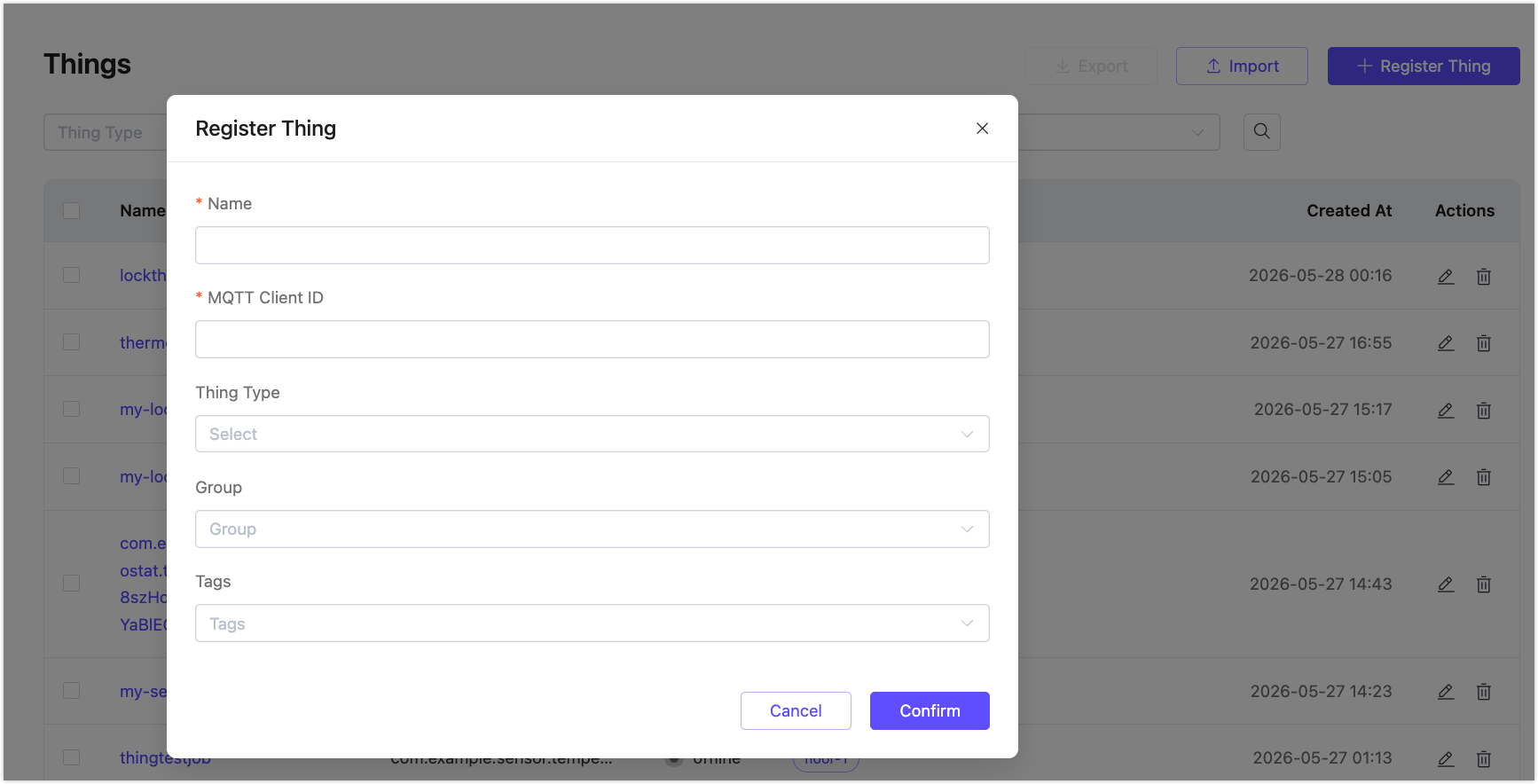
The Thing is created with an offline status. It becomes online when a device connects to EMQX Broker using the configured MQTT Client ID.
Thing Identity Fields
Each Thing has three identity fields that serve different purposes:
| Field | Used for |
|---|---|
| Thing ID | System-generated UUID; used internally and in API path parameters |
| Name | {thingName} in all $emqx/things/{thingName}/... MQTT topics and in API request bodies |
| MQTT Client ID | The MQTT CONNECT packet Client ID; used for connection lifecycle tracking (online/offline status) |
Name and MQTT Client ID may be the same, but they are independent. For example, a Thing named sensor-001 might connect with MQTT Client ID sensor-001.
Thing Status
| Status | Meaning |
|---|---|
| online | The device is currently connected to EMQX Broker |
| offline | The device is not currently connected |
Status is updated automatically based on MQTT connect and disconnect events.
View Thing Details
Click a Thing name in the list to open its detail page. The top of the page shows four summary cards:
- Status: Current connection status and last online time.
- Thing Type: The associated Thing Type name and ID.
- Schema: Count of properties, events, and commands inherited from the Thing Type, shown as
properties / events / commands. - Relationships: Count of tags and Thing Groups, shown as
tags / groups.
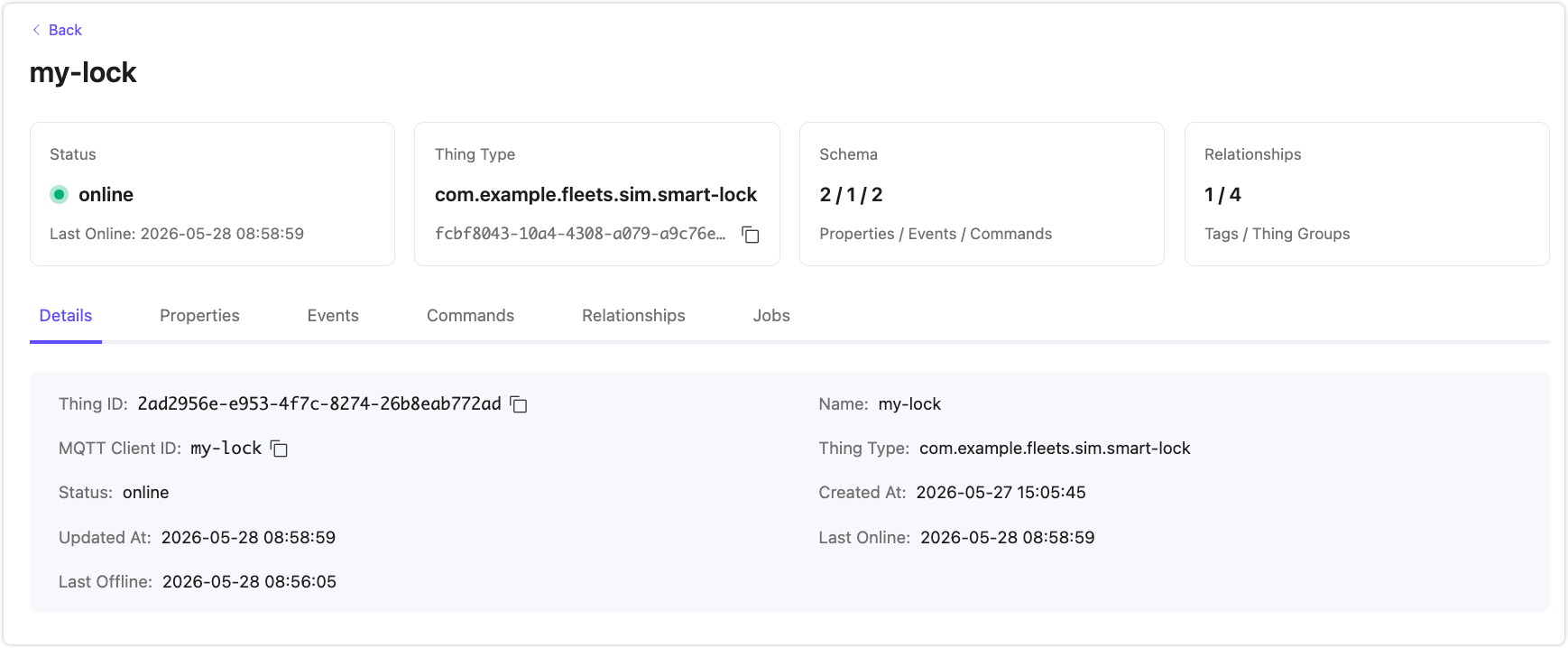
The detail page has the following tabs:
Details
Shows the Thing's identity and timestamp fields:
| Field | Description |
|---|---|
| Thing ID | System-generated unique identifier |
| MQTT Client ID | The MQTT Client ID configured at registration |
| Status | Current connection status |
| Updated At | When the Thing record was last updated |
| Last Offline | When the device last disconnected |
| Name | The Thing name |
| Thing Type | The associated Thing Type |
| Created At | When the Thing was registered |
| Last Online | When the device last connected |
Properties
Lists the properties defined in the Thing Type schema, with the following columns:
| Column | Description |
|---|---|
| Name | Property name |
| Type | Data type (string, int, float, boolean, or enum) |
| Details | Writable status, unit, and value range (where applicable) |
| Description | Property description |
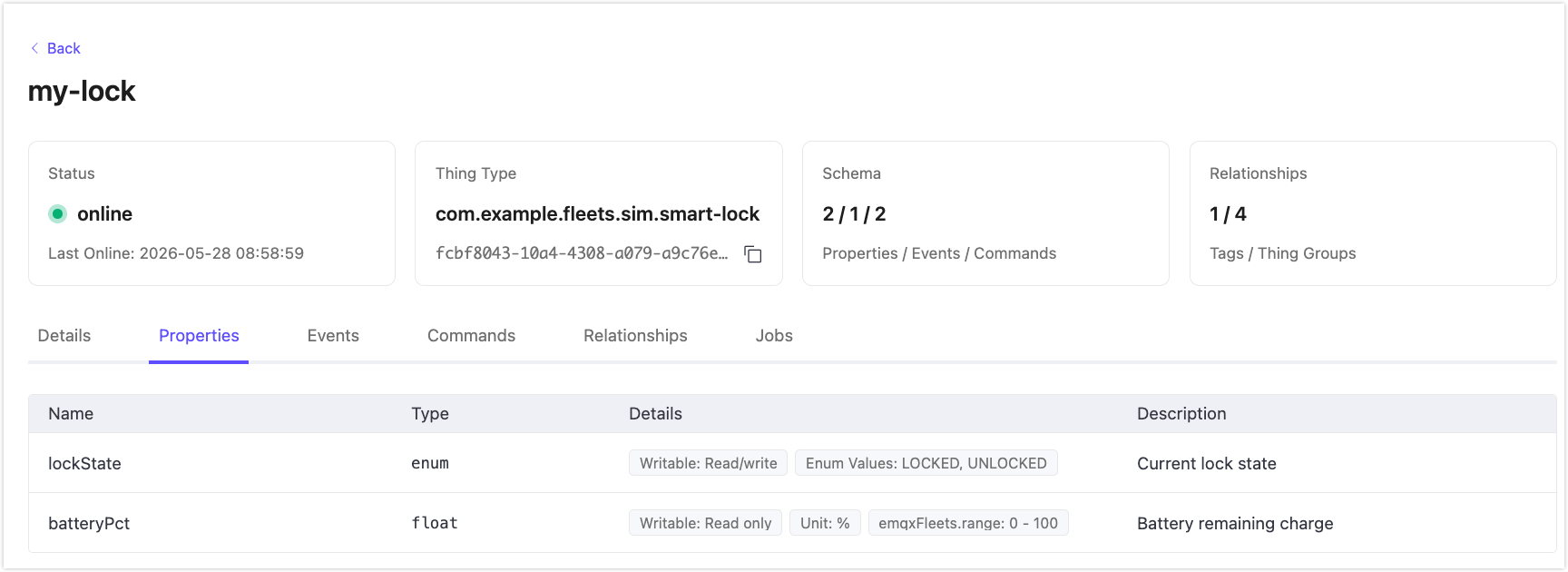
Events
Lists the events defined in the Thing Type schema, with the following columns:
| Column | Description |
|---|---|
| Name | Event name |
| Severity | info, warn, or error |
| Description | Event description |
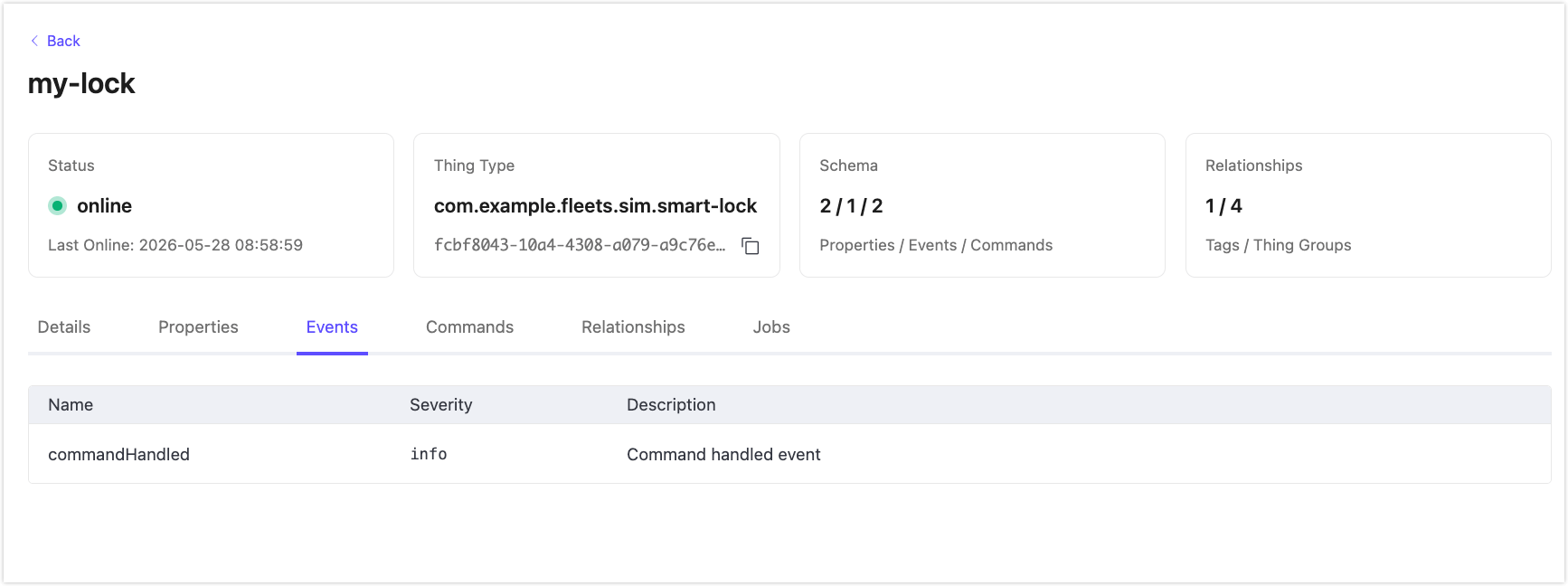
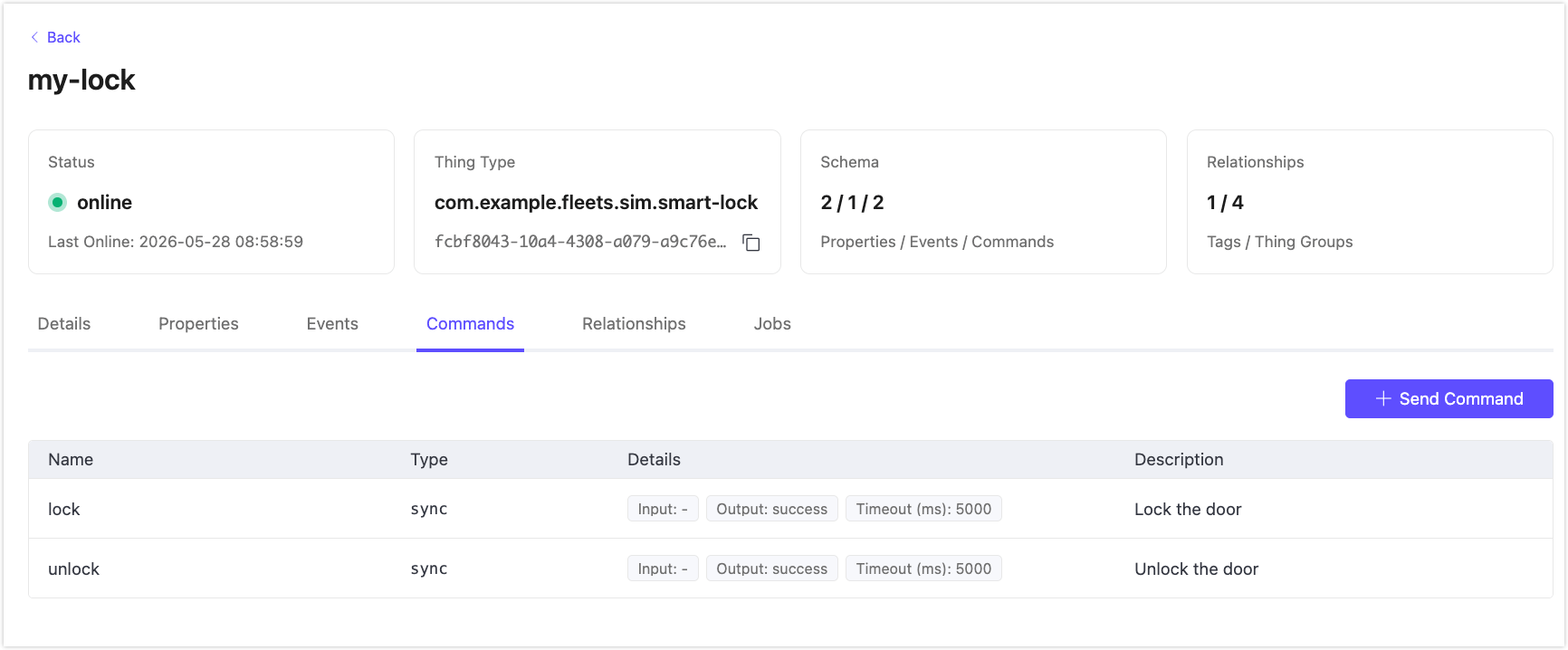
Commands
Lists the commands defined in the Thing Type schema. Click + Send Command to send a command to this device directly from the detail page.
| Column | Description |
|---|---|
| Name | Command name |
| Type | Command type (sync) |
| Details | Input parameters, output parameters, and timeout |
| Description | Command description |
Relationships
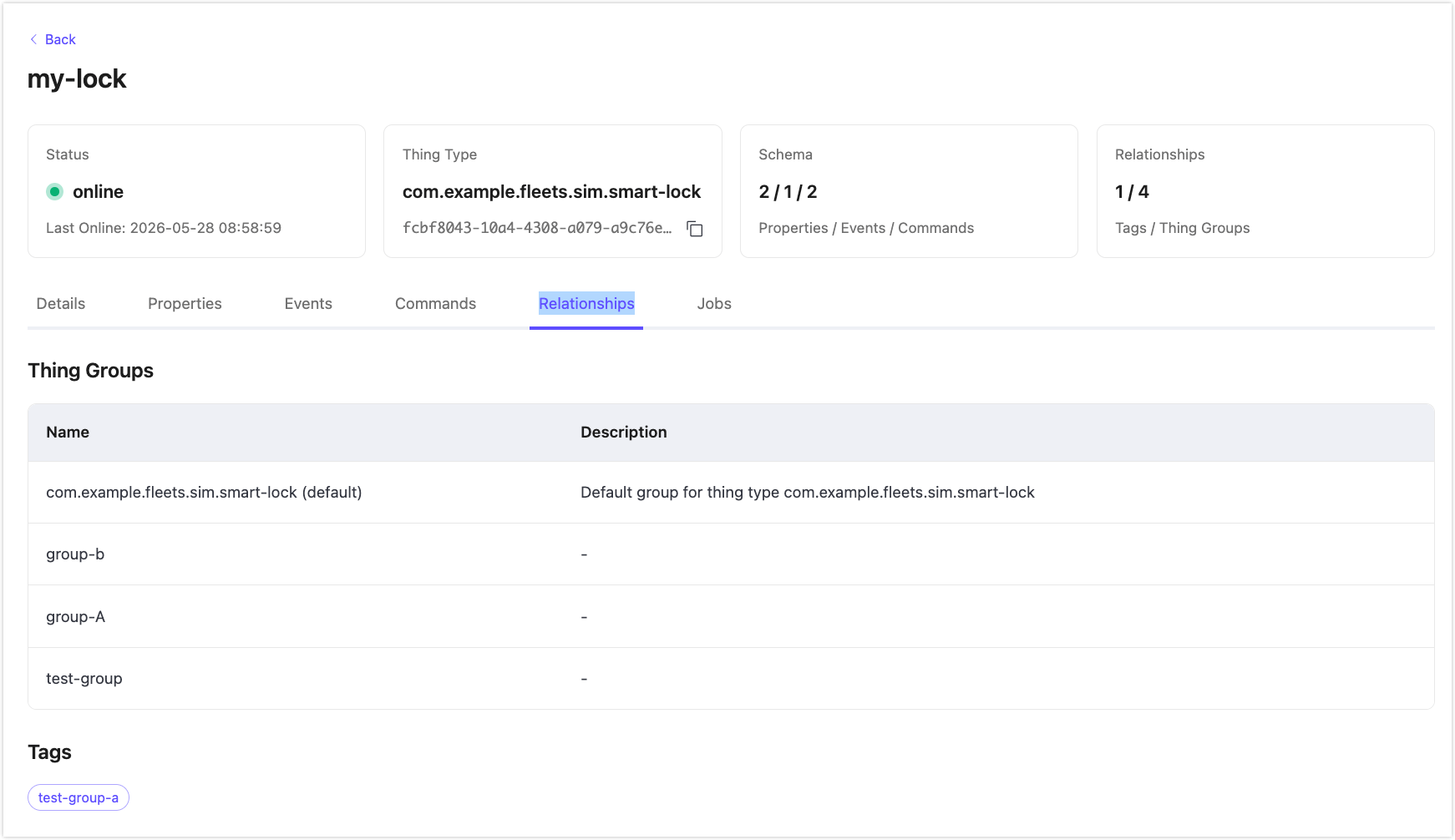
Shows the Thing Groups the device belongs to and the tags assigned to it:
- Thing Groups: A table listing the groups by Name and Description.
- Tags: Tags displayed as chips.
Jobs
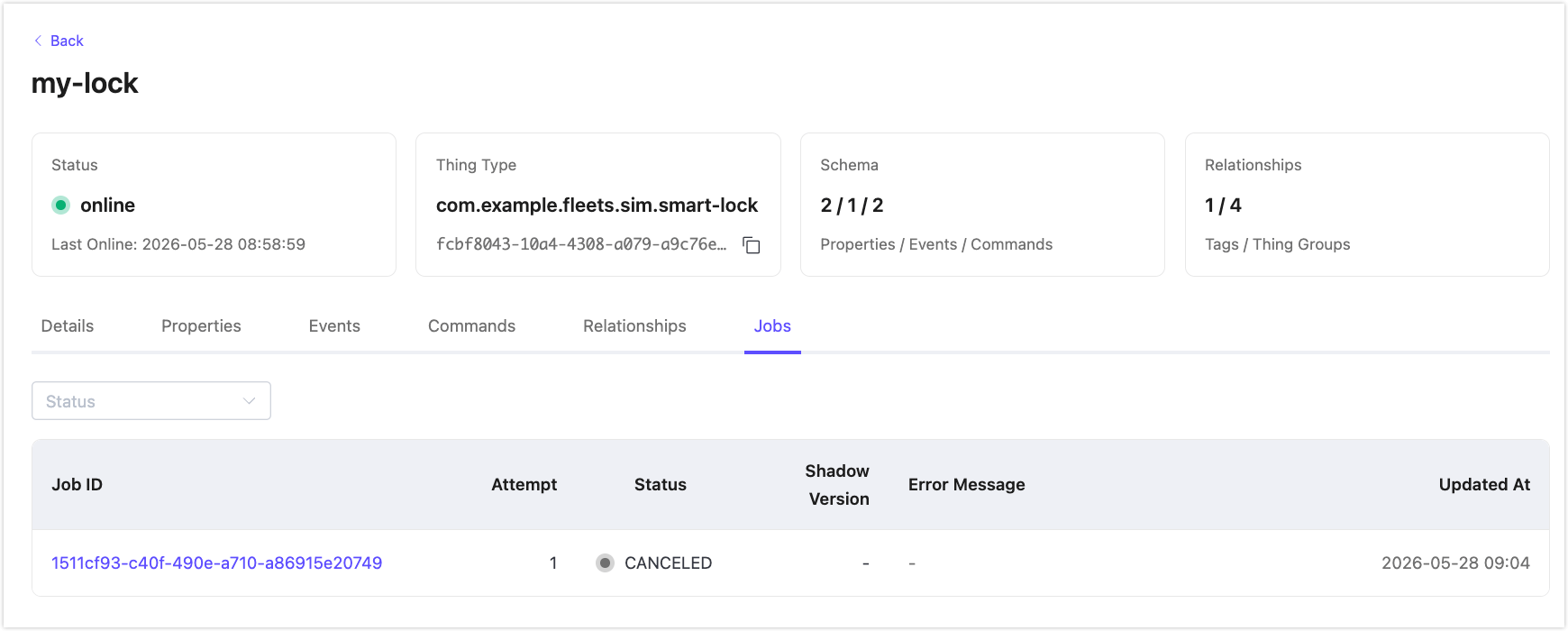
Lists job executions targeting this device. Use the Status filter to narrow the list.
| Column | Description |
|---|---|
| Job ID | Links to the job execution detail |
| Attempt | Number of execution attempts |
| Status | Current execution status |
| Shadow Version | Shadow version at the time of execution |
| Error Message | Error detail if the execution failed |
| Updated At | When the execution was last updated |
Export and Import Things
To export Things as a JSON file, select one or more Things using the checkboxes, then click Export.
To import Things from a JSON file, click Import, then select the file.
Edit a Thing
- In the Things list, click the edit icon in the Actions column.
- Update the fields:
- Name (required)
- MQTT Client ID (required)
- Thing Type (optional)
- Group (optional): Group Tags displays the tags of the selected group and is read-only.
- Tags (optional)
- Click Confirm.
Filter and Search
The Things list supports filtering by:
- Thing Type: Show only Things of a specific type.
- Group: Show only Things that are members of a specific Thing Group.
- Tags: Show only Things with specific tags.
- Status: Filter by
onlineoroffline.
Use the search icon to search by Thing name.
Delete a Thing
- In the Things list, click the delete icon in the Actions column.
- Confirm the deletion.
Deleting a Thing removes its registration, shadow state, and group memberships.